One of the most
frequently asked questions from customers recently is why our computer update
always fails. The machine runs fine without updating,but if we update the windows, the system
will be freezing.
About this
problem, there will be no problem with our machine, our machine can support
system update, but it may be due to Microsoft’s different updates in various
regions of the country.
We recommend that
customers reinstall the system. If your system fails to reinstall properly, you
will need to remove the WiFi module on your machine and reinstall the system.
Another suggestion
is to turn off the system update so that he no longer prompts.
So how to turn off the system updates:
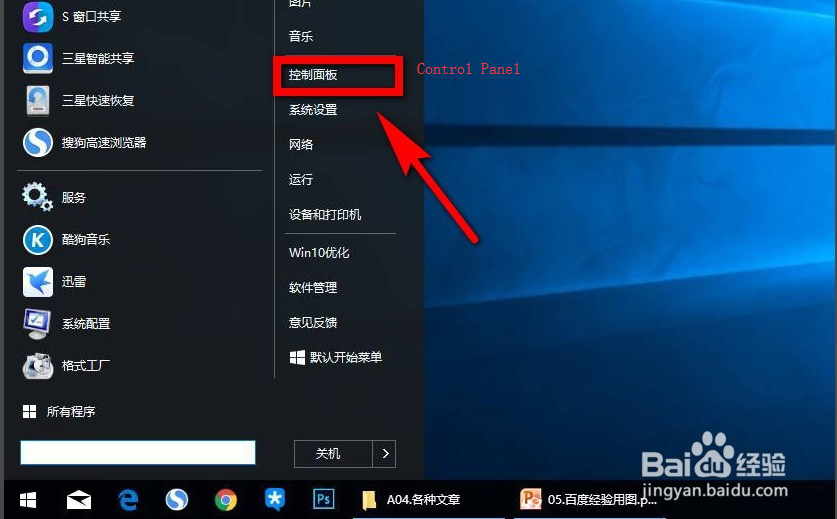
Step 1: Click the window icon in the lower left corner of the computer, then expand a list, click [Control Panel] in the list.
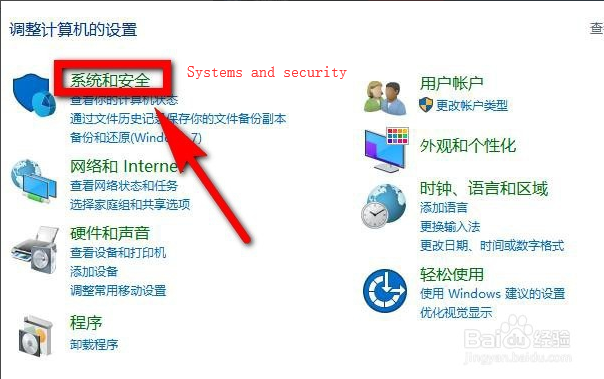
Step 2: After entering the control panel, click on the option [System and Security] on the page icon.
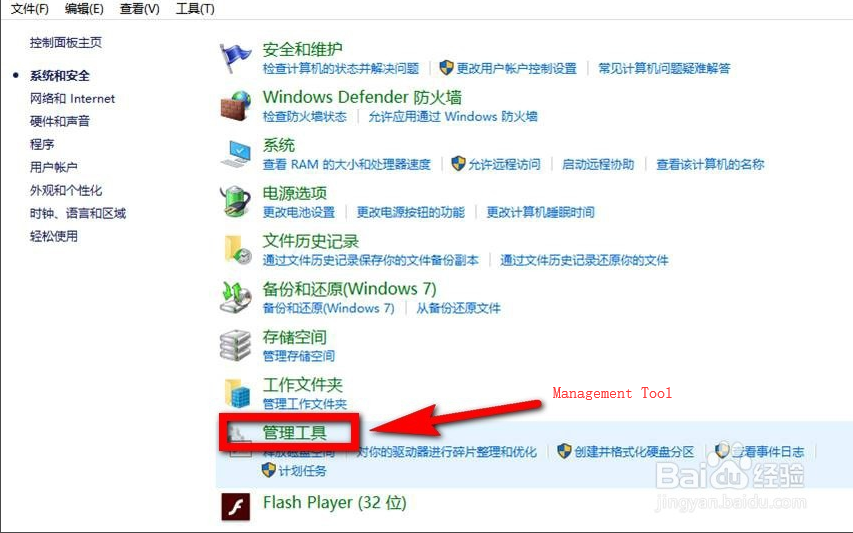
Step 3: After entering the “System and Security” page, find and click [Administrative Tools] in the right area of the page.
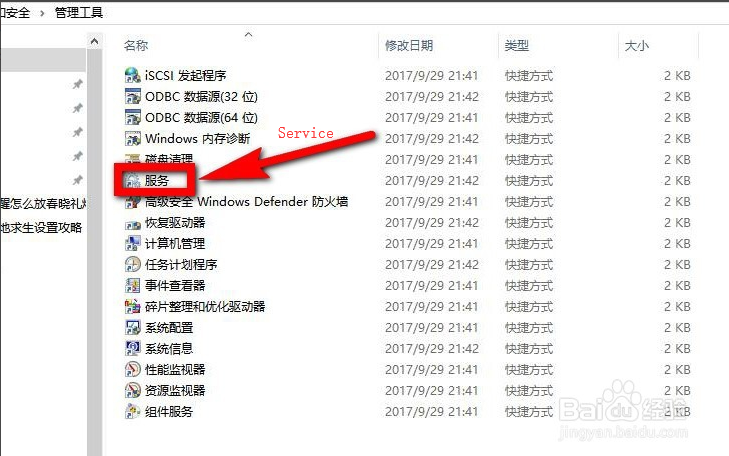
Step 4: After clicking “Manage Tools”, double-click the [Services] option in the list of management tools.
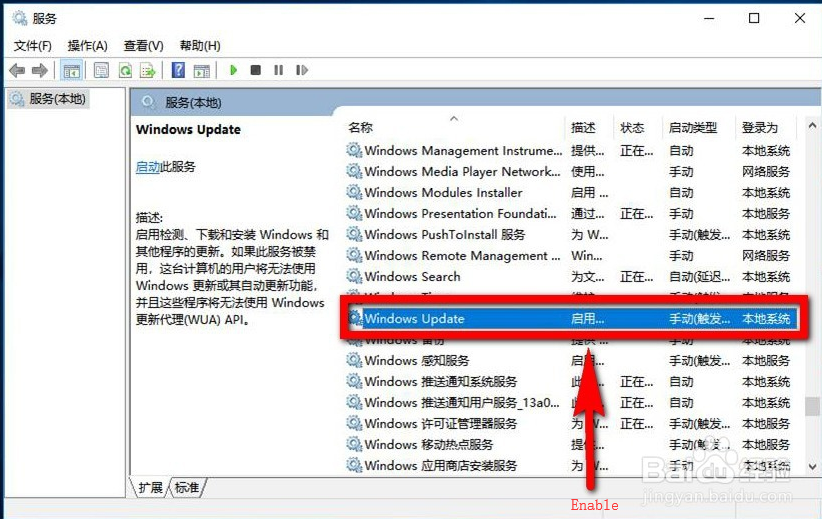
Step 5: After entering the “Services” page, drag the scroll bar on the right side of the page in the page, find it in the page and click [Windows Update].
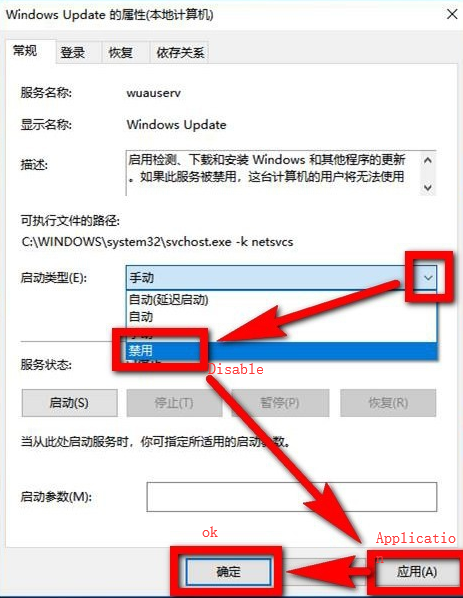
Step 6: At this point, you will be taken to the “Windows Update Properties” page. Click the drop-down arrow after the “Startup Type” section of the page. Click the [Disable] option in the drop-down list, then click [Apply] at the bottom right of the page, and finally click [OK] to close the page and set the completion.
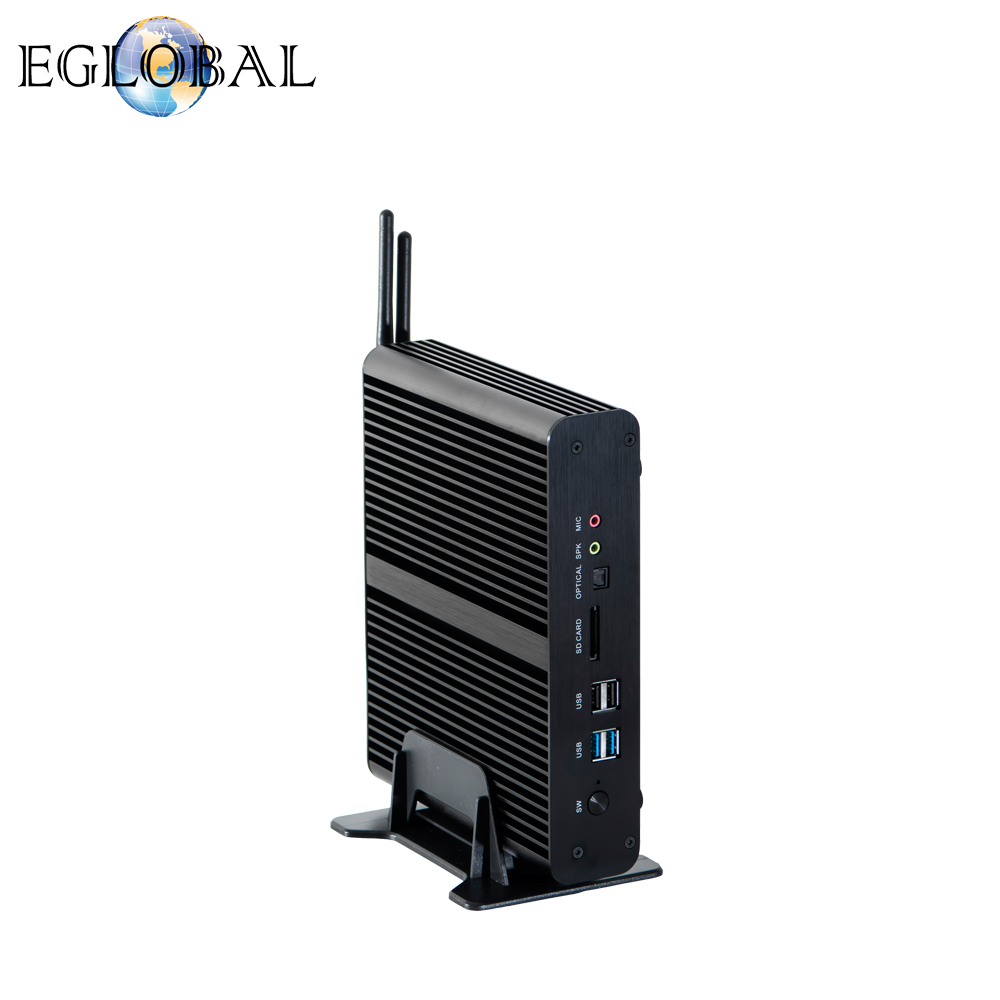
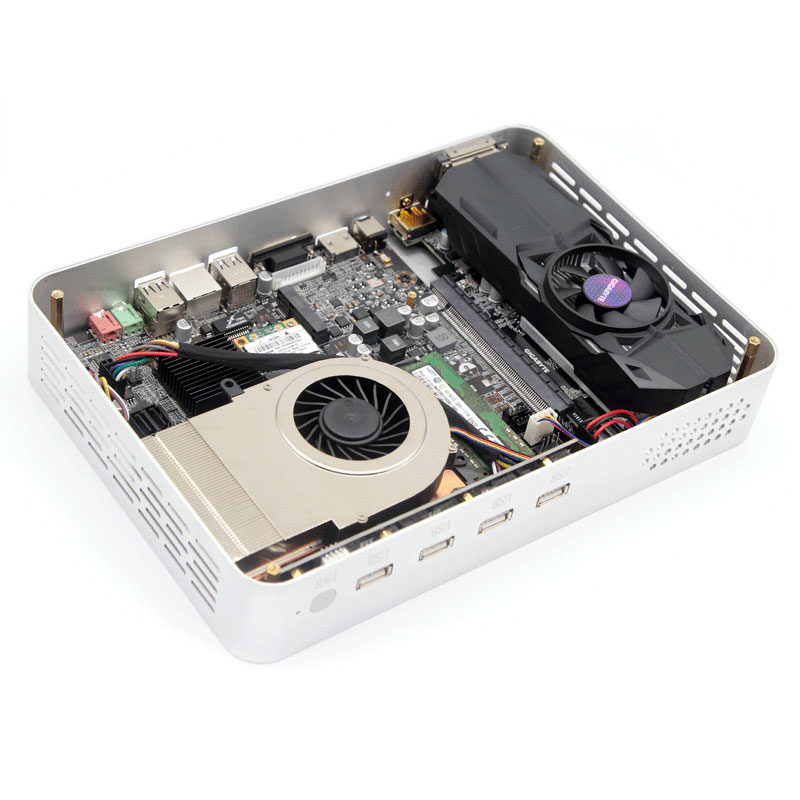
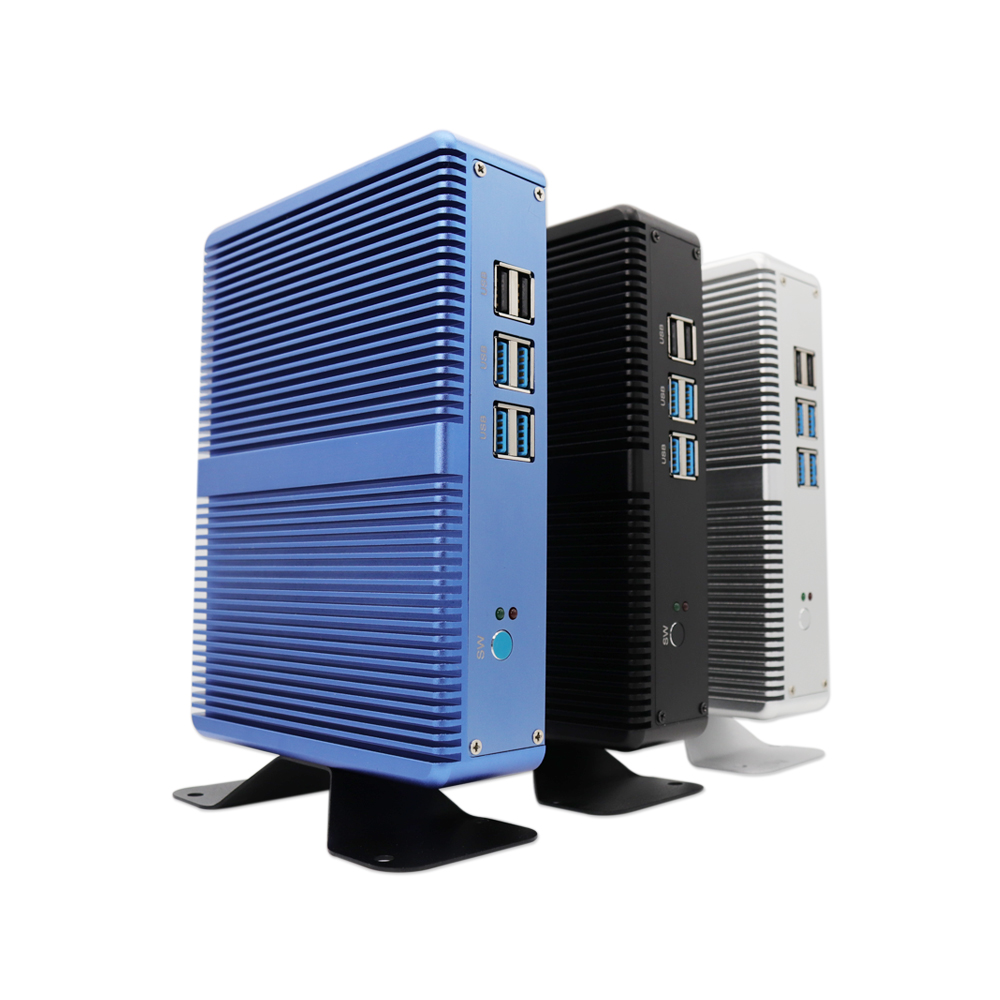
All aluminum is fanless and has zero noise. High-end core graphics Intel Ruiju Iris640 playing 3D games pass all online games Ruiju core graphics card, unprecedentedly powerful, killing a large number of independent display, rewriting the new nuclear era, the performance of the HD620 graphics card integrated than the I7-7200U increased by more than 80%.
HIFI level magic sound card design final improved version released
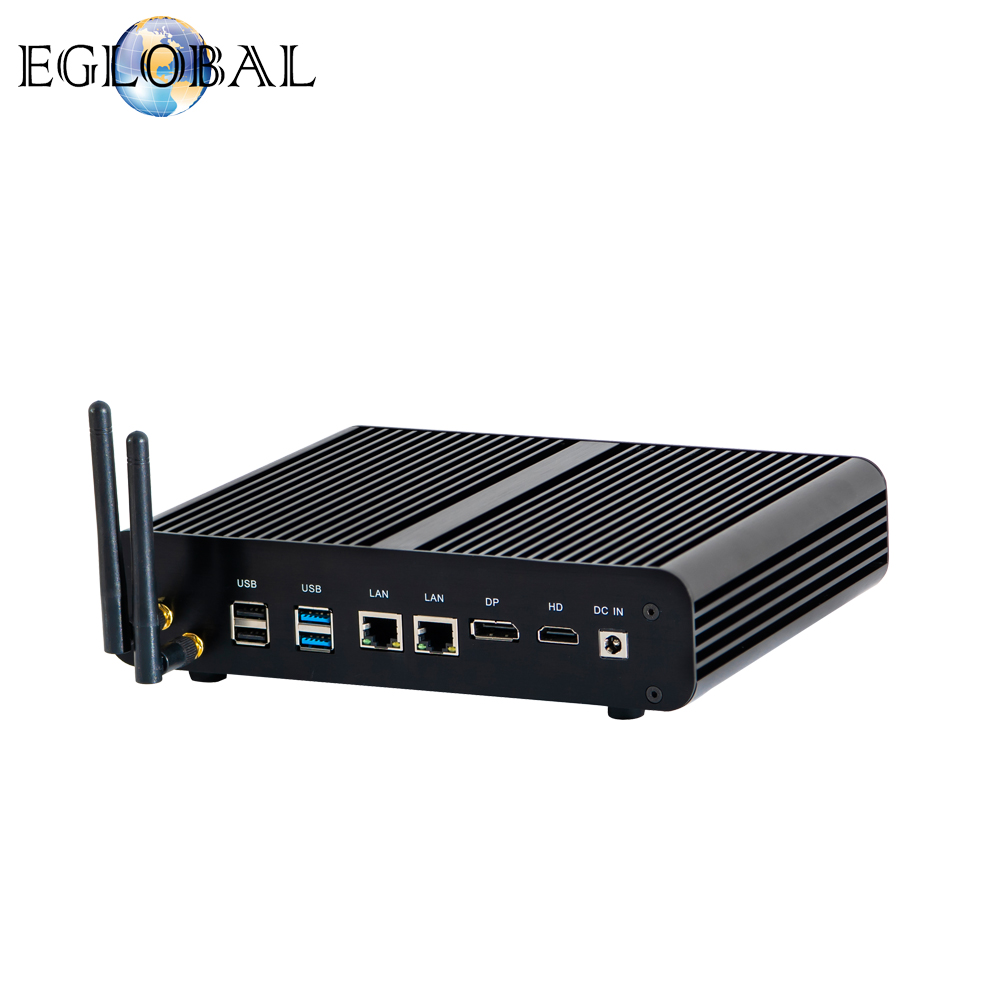
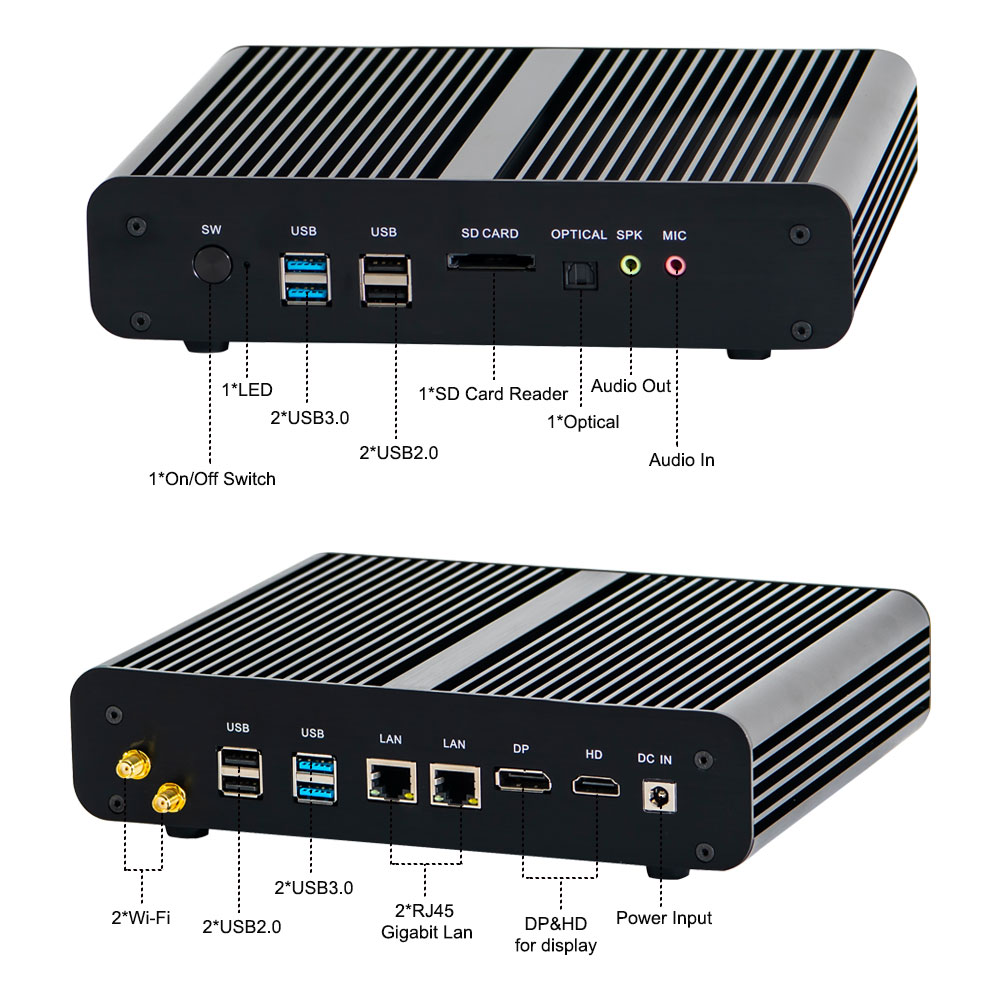
Dual Gigabit Ethernet Card Dual HD Interface HDMI DP Output Supports 4K HD Hard Solution Soft Solution
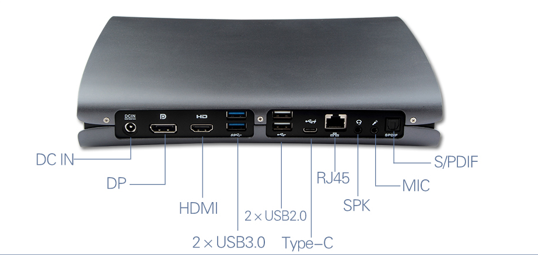
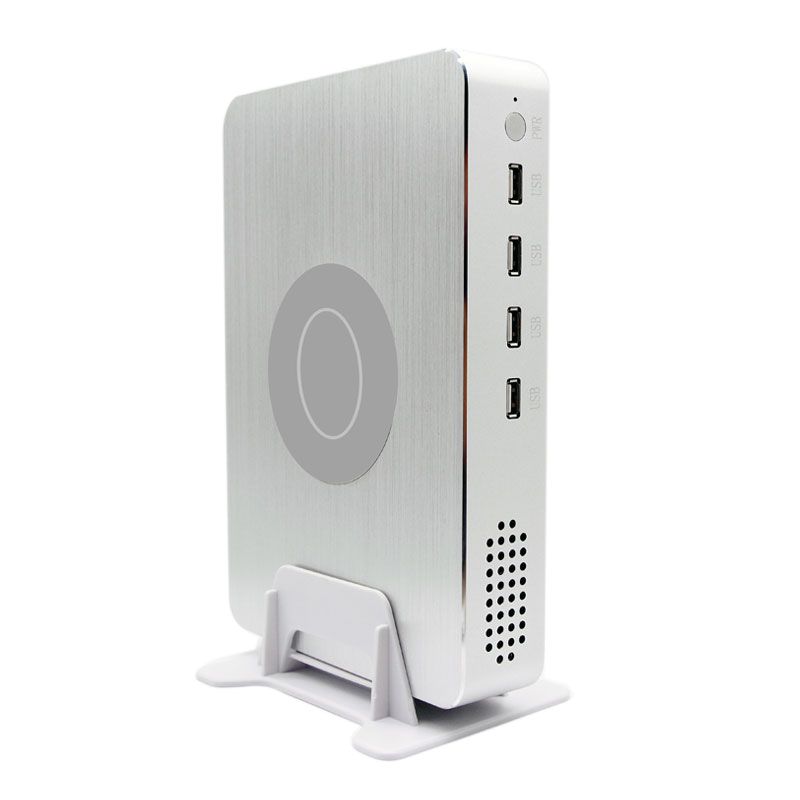
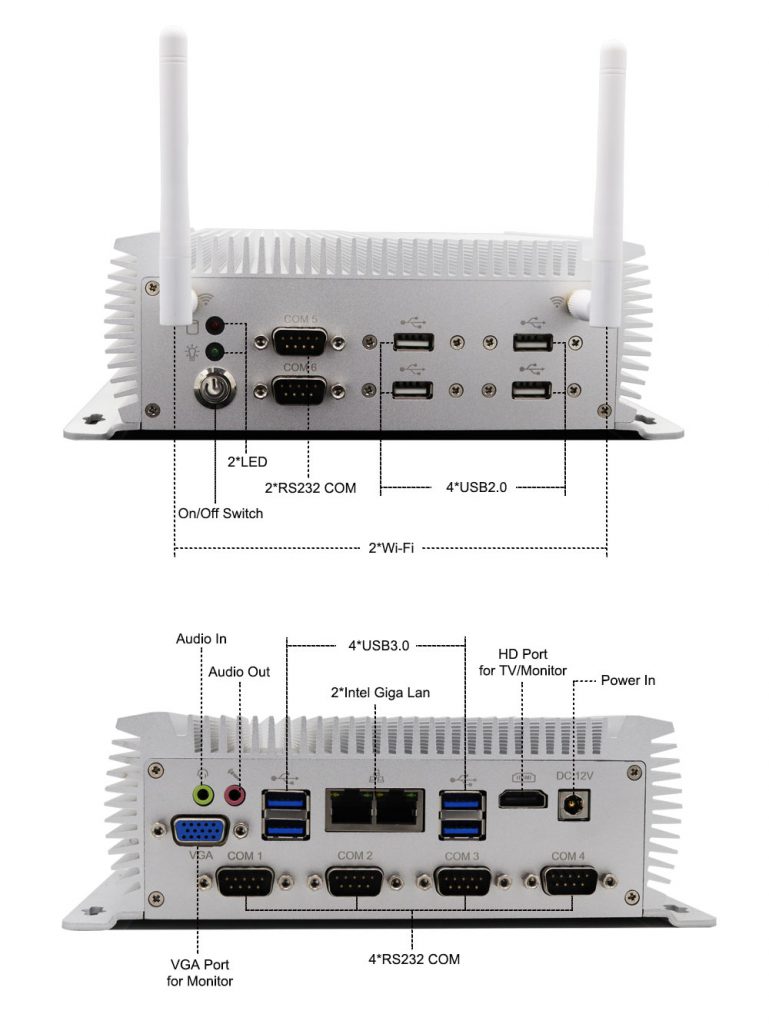
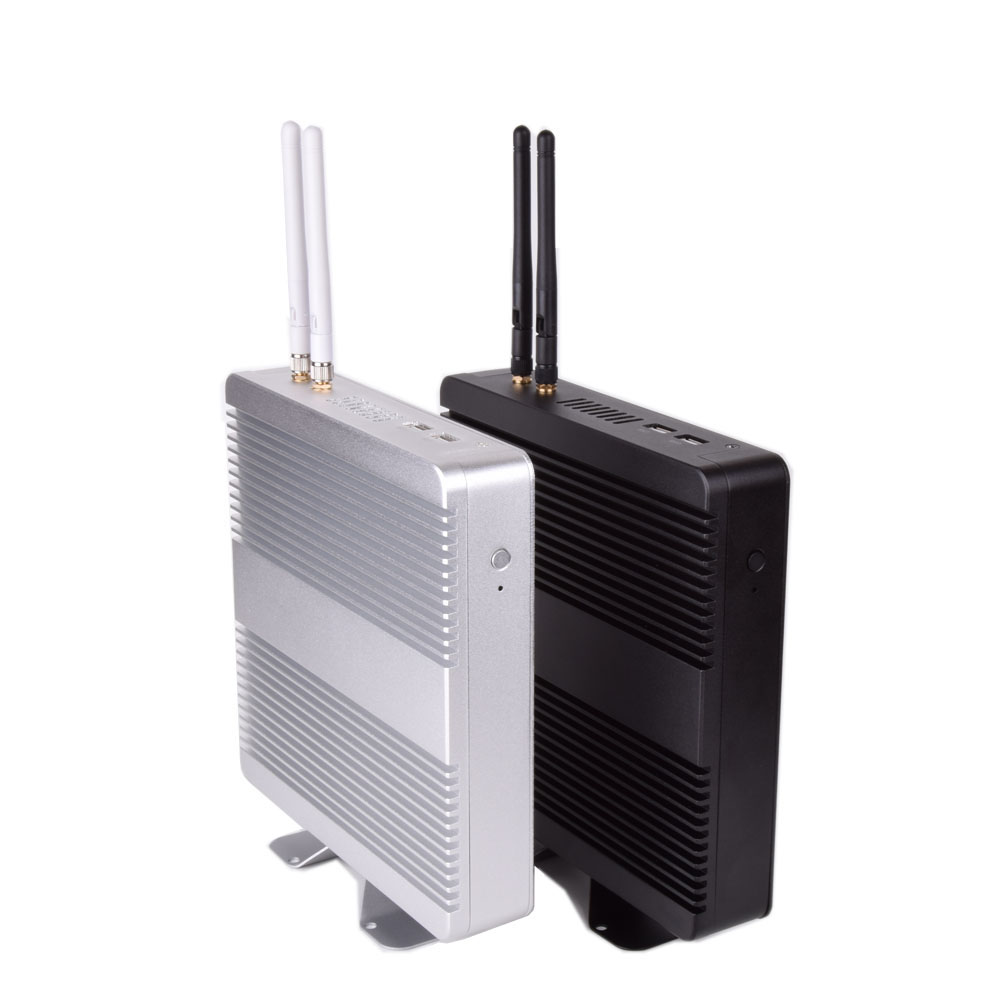
8 USBs 4 USB3.0 4 USB2.0 interfaces Full Dual 1000M NIC 150M or 300M WIFI wireless network optional
Dual channel memory DDR4 1866 or 2133 notebook memory Intel SOC Express Chipset
Can support power on function
All solid, shockproof, drop-proof, long-term stable and reliable, support M2 NVME high-speed SSD
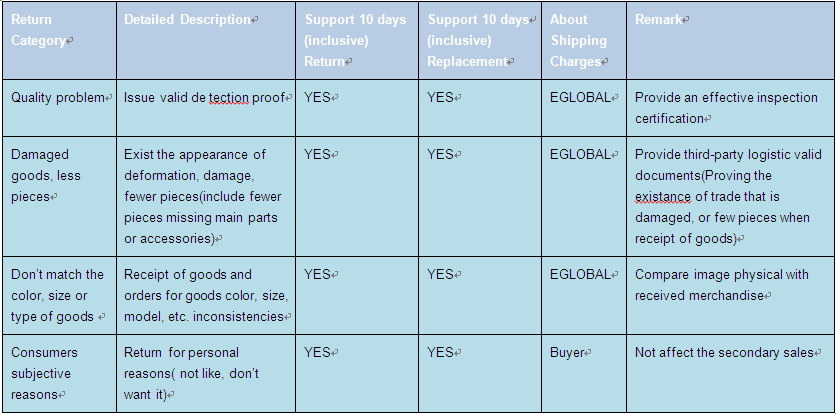
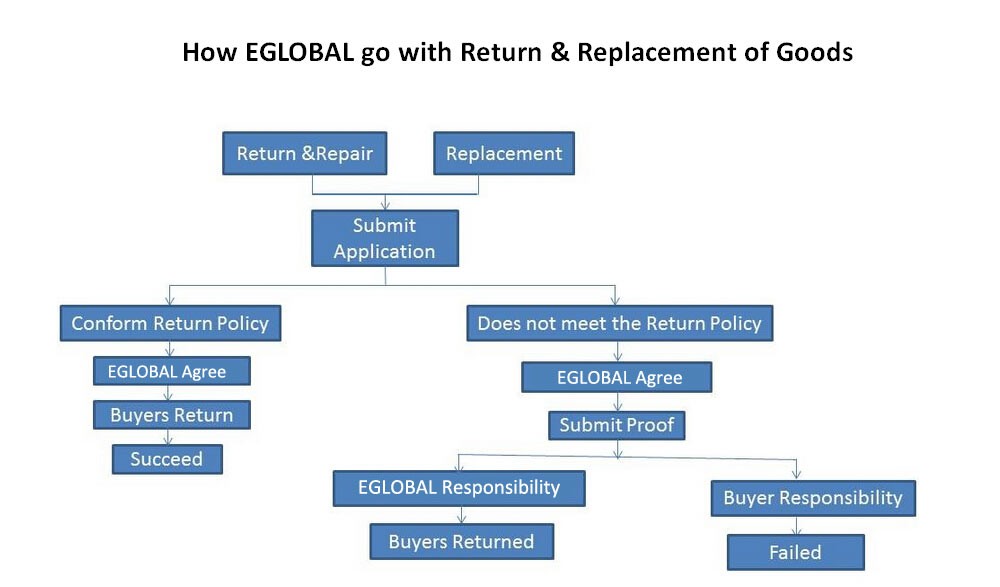
Dear Customer: Before u return back the goods, please contact our sales to get the RMA, which is very important.
We provide the 3-year product warranty, service is completely reliable and professional technical team. Class product quality, regardless of the current line, the product line marketed under the failure rate is very low, less than one percent failure rates. In case you encounter repair, you can contact us, send the product back to the company or our physical store. 3 years later, we still provide service for all users, and fees charged parts, maintenance free for life. EGLOBAL committed to the sale of goods in line with the requirements of the case to return from the date of sale (the actual receipt date) 10 days can return, exchange within 30 days.
(Note: Please don’t write our company name on the parcel. In China it is easy for us to receive the international parcel in an individual’s name by Postal Mail or EMS.)
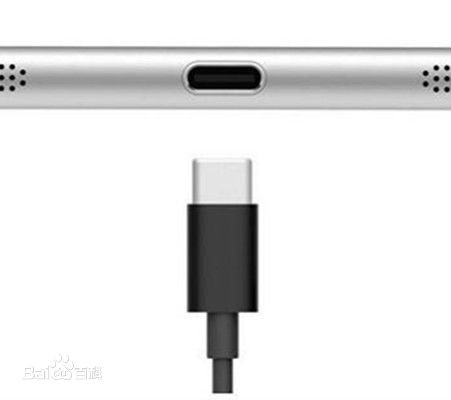
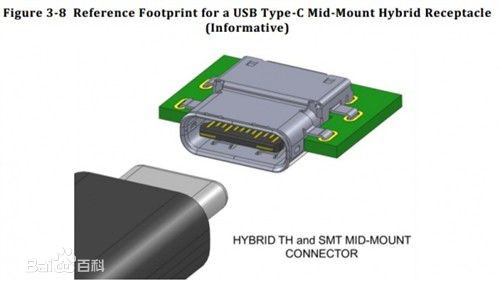
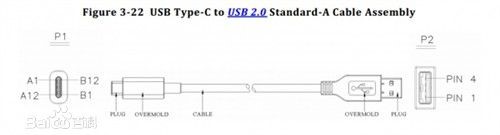
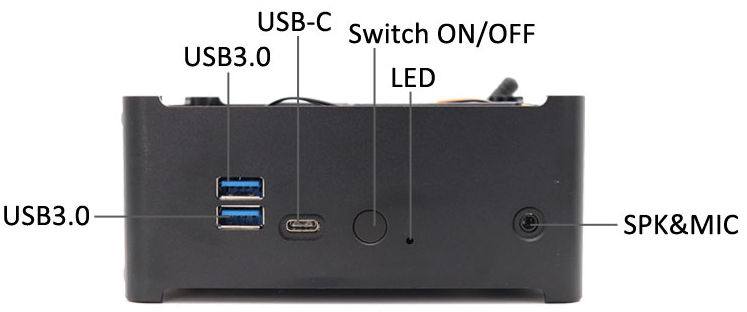
USB type-c, short for type-c, is a universal serial bus (USB) hardware interface specification. The new interface features a thinner design, faster transmission speeds (up to 10Gbps) and more power (up to 100 watts). The biggest feature of type-c double-sided pluggable interface is that it supports double-sided insertion of USB interface, which officially solves the worldwide problem of “USB never allowed to be inserted”. The USB cable that comes with it must also be thinner and lighter.
USB type-c has the following technical features:
1. The maximum data transmission speed is
up to 10Gbit/ s, which is also the standard of USB 3.1;
2. The size of the socket end of type-c
interface is about 8.3mm 2.5mm thin design;
3. Support the “forward and backward
interpolation” function that can be inserted from both sides, and can
withstand 10,000 times of repeated interpolation;
4. Standard specification cables equipped with type-c connectors can carry 3A current and also support “USB PD” beyond the current usb-powered capacity, which can provide up to 100W of power.
Appearance characteristics
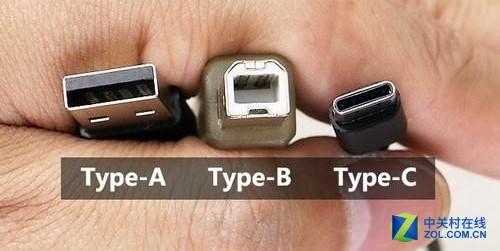
1. The ultra-thin
Thinner bodies require thinner ports, which
is one reason usb-c has emerged. Usb-c ports are 0.83 cm long and 0.26 cm wide.
The old USB port, 1.4 centimeters long and 0.65 centimeters wide, is outdated.
This also means that the end of the usb-c cable will be one-third the size of
the standard usb-a cable plug.
2. No positive and negative
Like apple’s Lightning port, the usb-c port has the same front and back. This means that no matter how you insert the port, it is correct. Users don’t have to worry about the pros and cons of a traditional USB port.
The main function
1. Quick
In theory, usb-c ports have a maximum
transfer rate of 10Gb per second. But apple says the new MacBook’s usb-c port
has a maximum transfer rate of 5Gbps. The maximum output voltage is 20 volts,
which can accelerate the charging speed. Usb-a, by far, has A transmission
limit of 5Gbps and an output voltage of 5v.
2. Generalist.
The new MacBook’s usb-c port can transfer
data and charge, or it can be used as a video output port to connect to
external display devices. The only question is how apple will satisfy users who
want to do all three at once.
3. Bidirectional
Unlike older USB ports, which transmit
power in one direction, usb-c ports transmit power in both directions, meaning
it can send power in two ways. So, users can not only charge their mobile
devices with their laptops, but also charge them with other devices or mobile
power supplies.
4. Backward compatibility
Usb-c is compatible with older USB standards, but users need to purchase additional adapters to complete compatibility. Apple says not only will apple officially sell the adapters, but third-party companies can also license them.
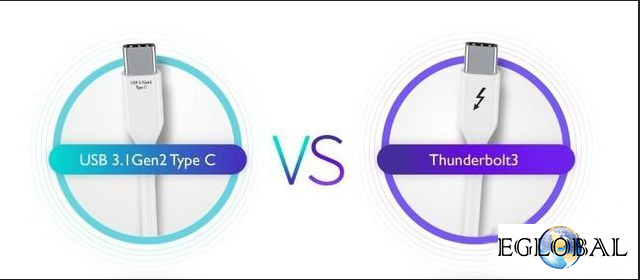
The difference between Thunderbolt 3 and USB 3.1 Gen2 Type-C
To figure out the difference between these two cables, you first need to clarify the concepts of Thunderbolt 3, USB 3.1, and Type-C. In fact, Thunderbolt 3 and USB 3.1 are both data transmission protocols. The difference between different transmission standards is mainly in the transmission rate. In terms of USB 3.1, it is also divided into USB 3.1 Gen1 and USB 3.1 Gen2. The maximum transfer rate of USB 3.1 Gen1 is 5Gb/s, and the maximum transfer rate of USB3.1 Gen2 is 10Gb/s. Type-C is an interface specification, in addition to other interface specifications such as Type-A and Type-B.
One of the reasons why users can easily
confuse Thunderbolt 3 with USB Type-C is that both cables use the Type-C
interface specification and look almost identical. Now in order to better
distinguish between the two, Apple’s latest Thunderbolt 3 data line will have a
lightning sign.
Although Thunderbolt 3 and USB Type-C have
the same interface, they are paired with different transport protocols, namely
Thunderbolt 3 and USB 3.1.
Despite differences in transport protocols, Thunderbolt 3 and USB Type-C can share the Type-C interface. For example, if the user connects to the Thunderbolt 3 interface of the display from the USB Type-C interface of the laptop, it can also be expanded. The only difference is that the bandwidth of the USB 3.1 Gen2 will be reduced from 40Gb/s to 10Gb/s.
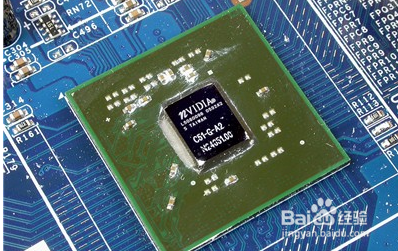
The integrated graphics card generally does not have video memory, but uses part of the main memory of the system as the video memory. The specific number is generally automatically adjusted dynamically according to the needs of the system. Obviously, if you use integrated graphics to run a large amount of memory space, the impact on the entire system will be more obvious, in addition, the system memory frequency is usually much lower than the graphics memory of the discrete graphics card, so the performance of integrated graphics is inferior to the discrete graphics. With a motherboard that integrates a graphics chipset, it is not necessary to use an integrated graphics card. The motherboard can completely shield the integrated graphics card, but it is rarely done for cost.
Advantages
Low price
Good compatibility
Meet the demand
Low upgrade cost
Integrated graphics card means that the chipset integrates the display chip, we don’t need to connect the external graphics card.
Independent graphics
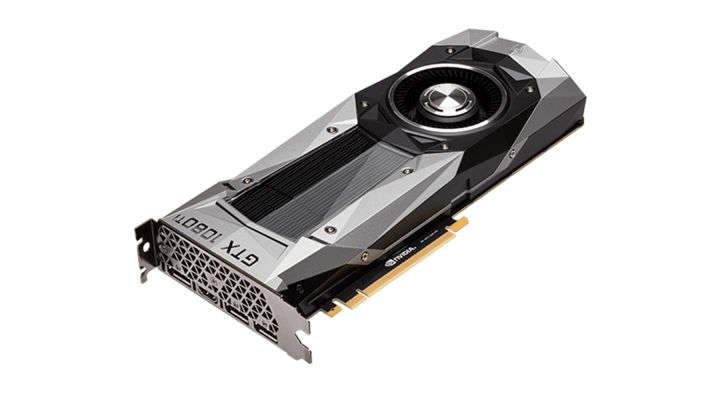
Independent graphics card, referred to as the independent display, Hong Kong, Macao and Taiwan regions called independent display cards, refers to the independent card, you need to insert the graphics card on the corresponding interface of the motherboard. The discrete graphics card is divided into a built-in discrete graphics card and an external graphics card. A discrete graphics card is a graphics card that can be freely plugged and unplugged on a motherboard with a graphics card interface in the form of a separate board. The discrete graphics card has separate graphics memory, does not occupy system memory, and is technically ahead of integrated graphics, providing better display and performance. As an important part of the computer, graphics cards are very important for people who like to play games and professional graphic design.
Advantages
The discrete graphics card has separate video memory and does not occupy system memory.
Technically leading, providing better display and running performance.
And it can display multiple graphics cards inside the computer, and has powerful image processing capabilities.
The difference between discrete graphics and integrated graphics
From the performance power consumption, the integrated graphics feature is generally good, but basically meets some daily applications, the heat and power consumption is lower than the discrete graphics. Although the performance of the discrete graphics card is strong, the heat generation and power consumption are relatively high. In terms of 3D performance, discrete graphics are better than integrated graphics. The discrete graphics card is easy to determine. A separate card is inserted in the motherboard slot. The interface on the card is connected to the signal cable of the display. Because the integrated chip is integrated in the North Bridge, there is no card, and the interface connecting the display is not on the card. It is usually placed together with the I/O interface of the motherboard backplane.
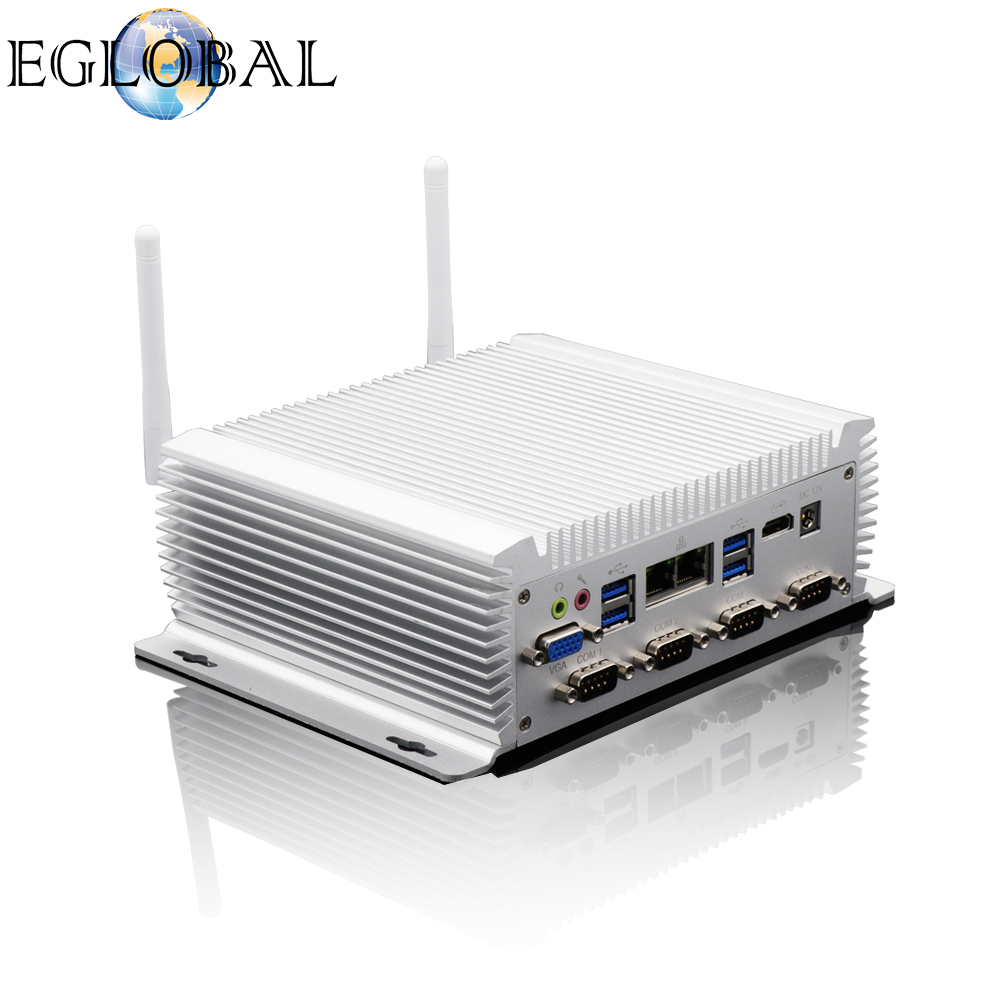
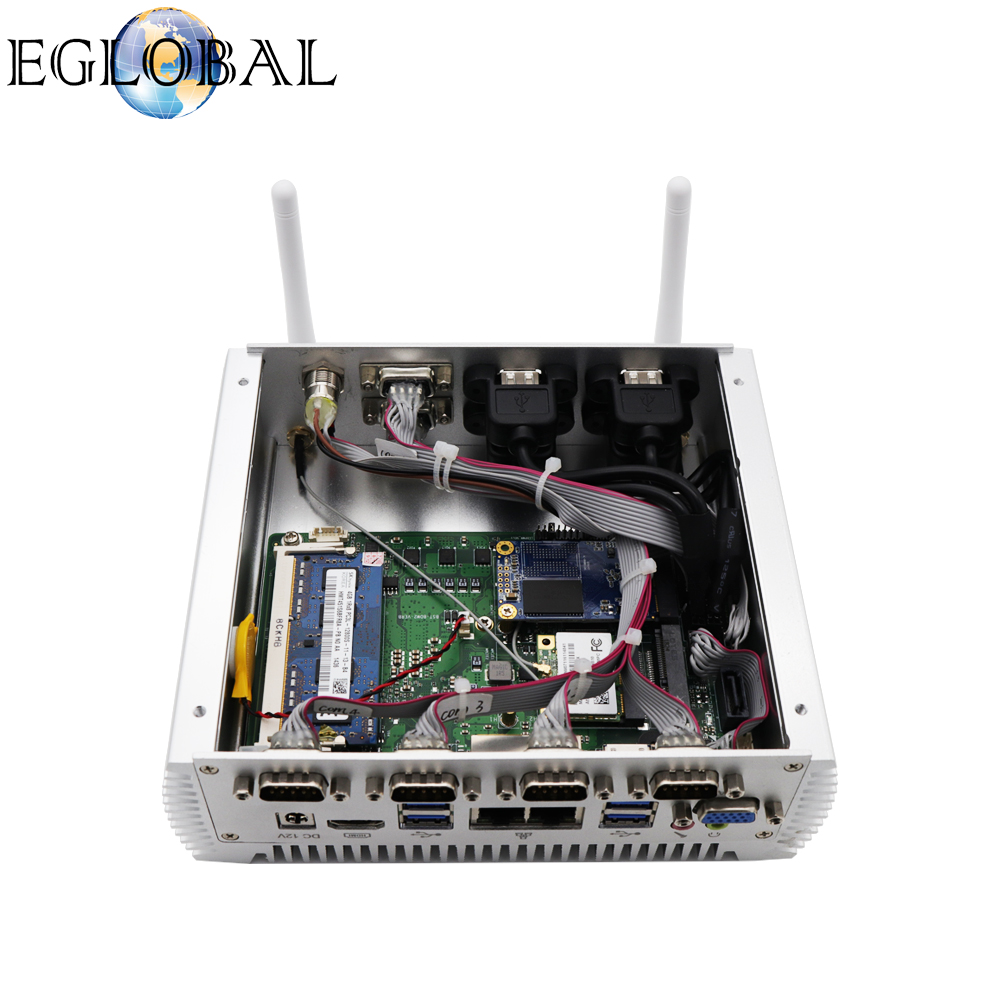
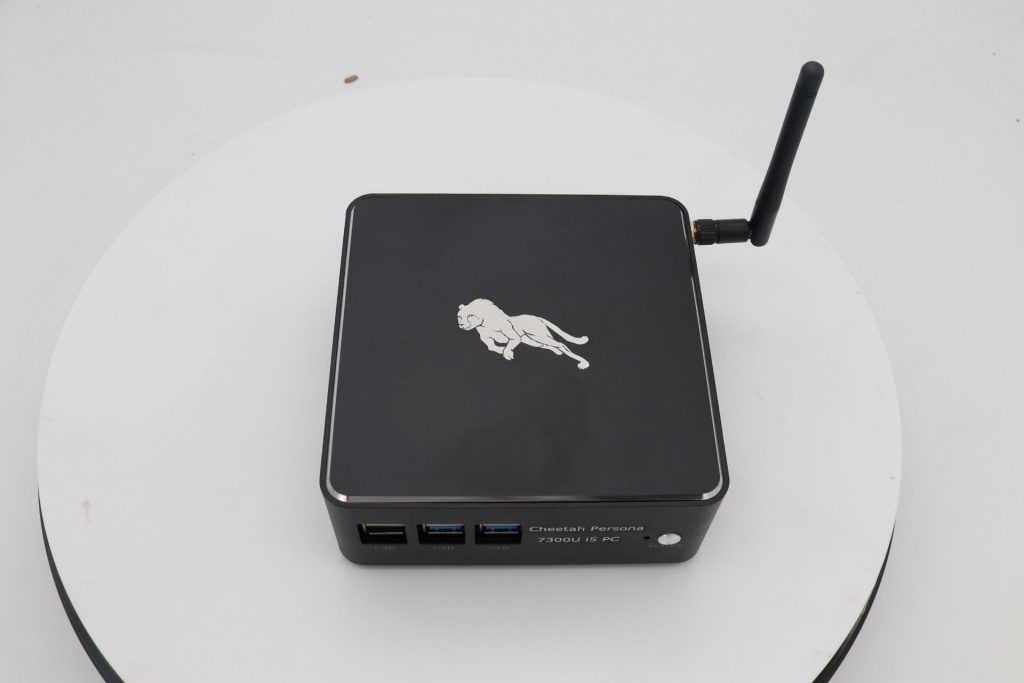
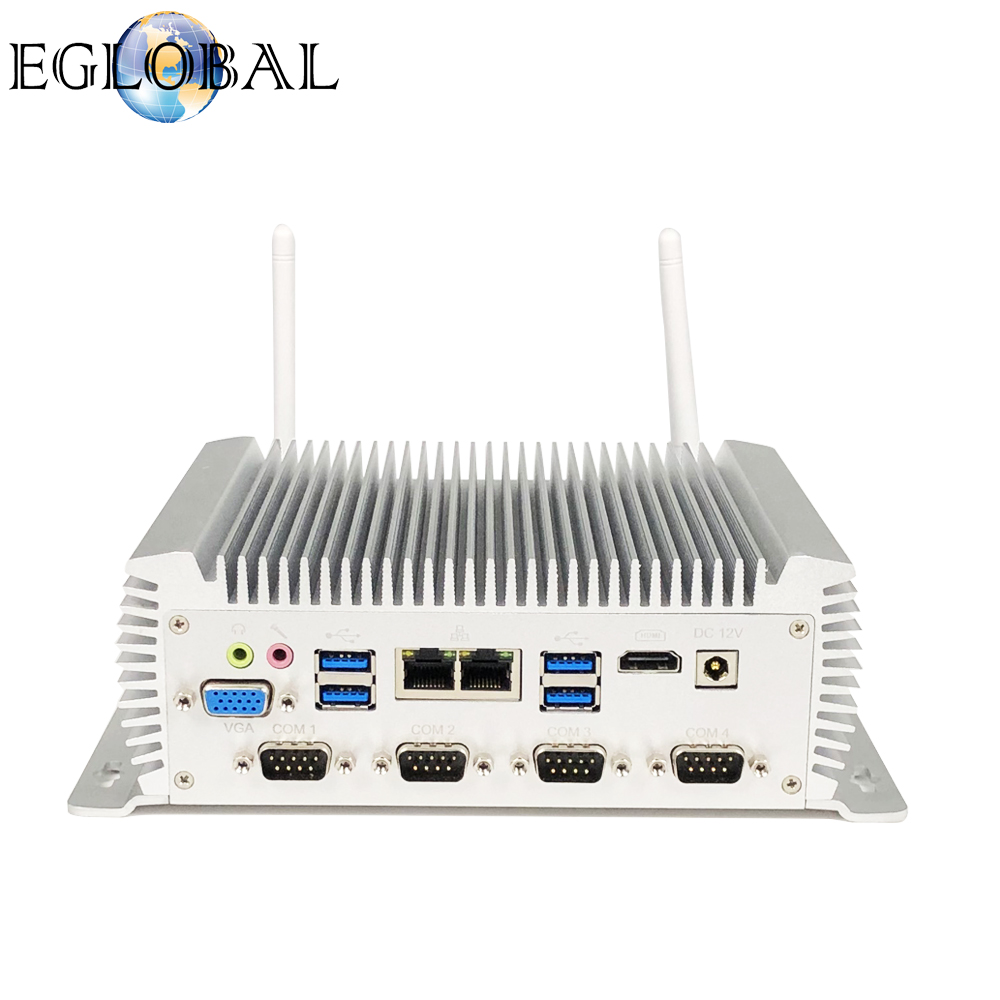
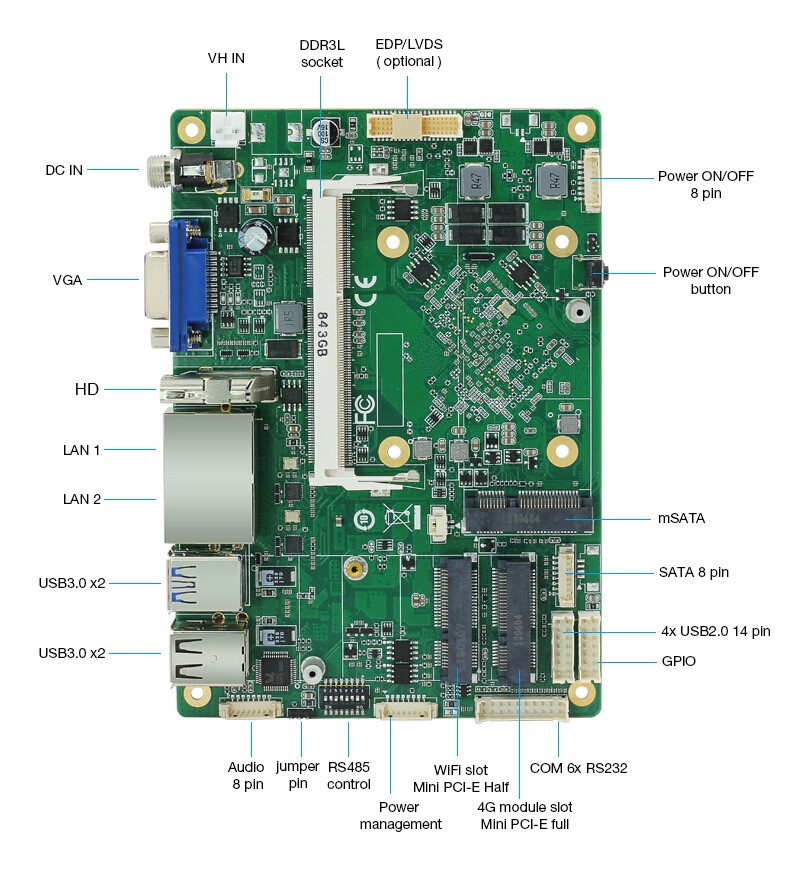
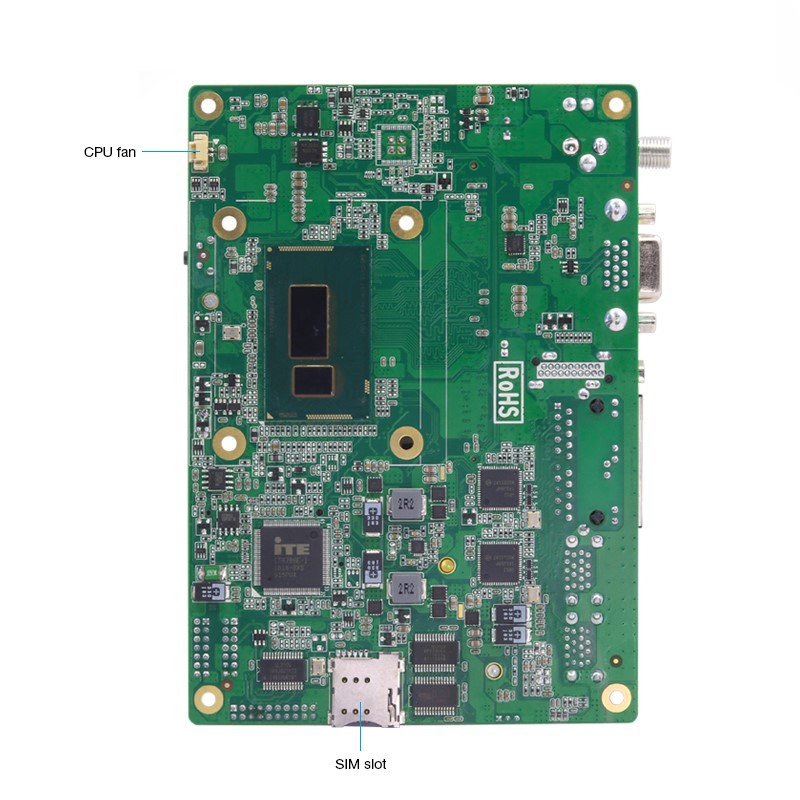
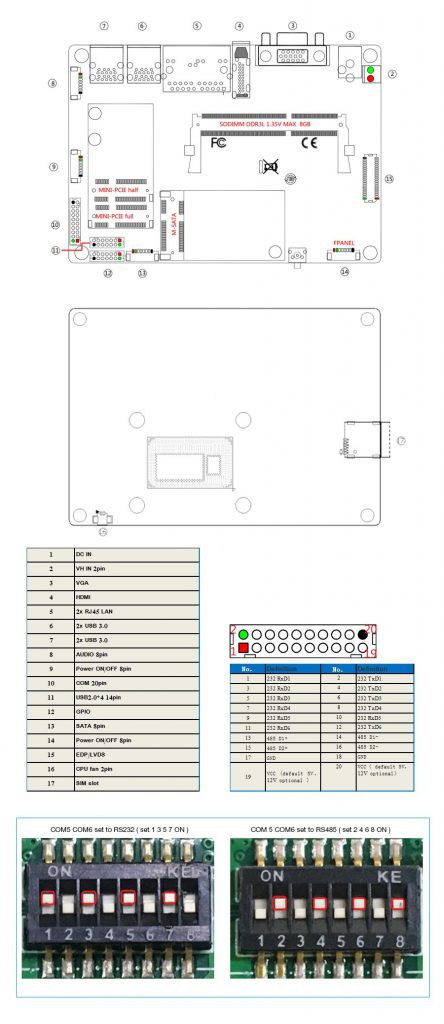
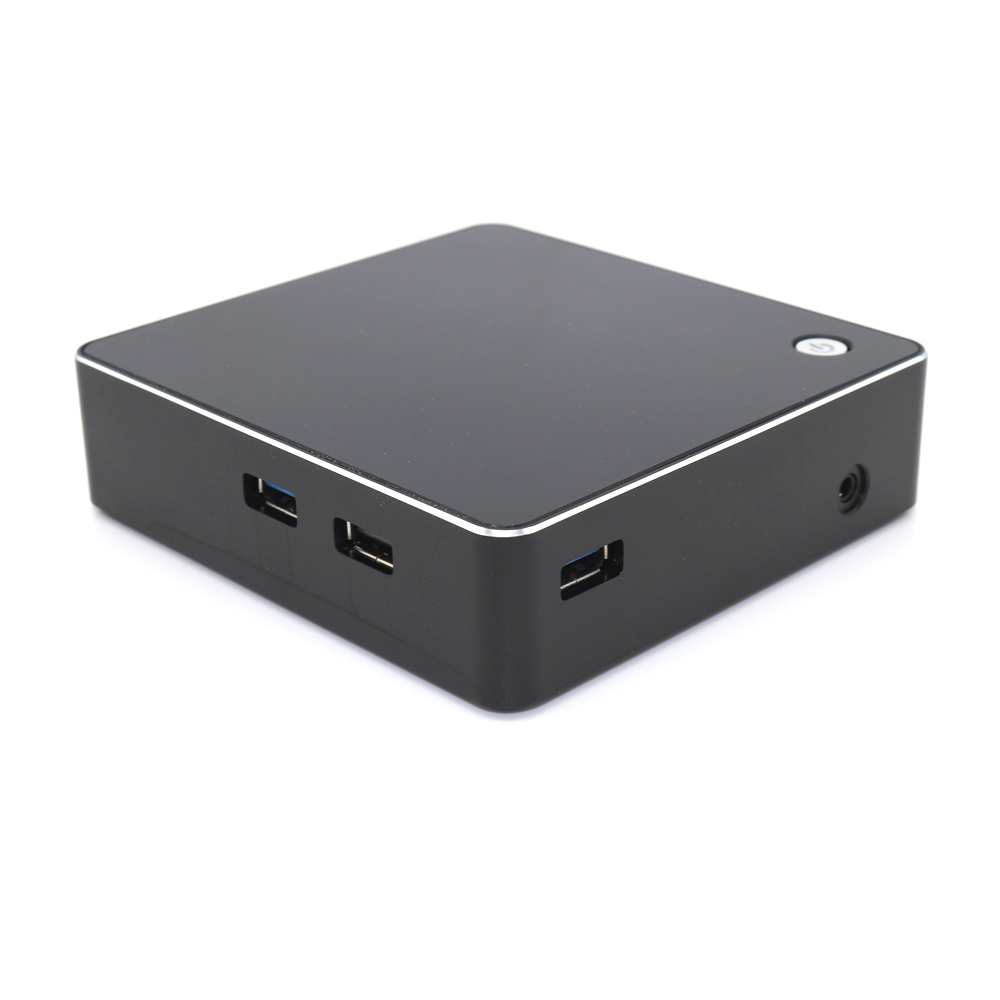
In order to meet the market demand, we have recently developed a new industrial mini PC, it use Intel CPU, core i5-4200U, with 4*RS232 COM port and 2*RS485COM port, dual network port, 8*USB, HDMI.
This Industrial Mini PC Support Watchdog, Auto power on, RTC Wake Up, Non-disk boot, State lamp interface, trigger switch(wafer 1*2)
Notice: If you need LVDS, our pcb broad have this but our case without this port, we accept custom-made, MOQ is 100 sets
If you are interested in this model, you may contact us or went to our website.
For you and your computer safety please
follow the rules below for cleaning and handling your computer.
Cleaning the Mini Computer
1.Before cleaning the mini computer, you need shut it down and disconnect all cables. 2.Use a damp, soft, lint-free cloth to clean the computers exterior. Avoid getting moisture in any openings. Do no spray liquid (water, drinks, ink etc) directly on the computer. 3.Don’t use aerosol sprays or abrasives.
Moving the Mini Computer
Before your lift or reposition your
computer, you need turn it off and disconnect all cables.
Safety Instructions for Setting Up and Using the Mini Computer
Disconnect the power plug if any of the
following conditions exists
The power cord or plug becomes frayed
or otherwise damaged
You spill something into the case (the
openings)
The mini computer has been dropped or
the case has been otherwise damaged
The mini computer is suspected to get
checked or repaired
You want to clean the case and inner
Important:
The best way to turn off the computer without harm to it is to “softly shut
down”, that is to click “start” select “turn off”. Do not re-plug the power
cord until the computer stop running.
Be sure that you always do the
following
Keep your computer away from sources of
liquids, for example water, drinks etc.
Protect your computer from dampness or
wet weather, for example rain, snow, hail etc.
Read all the instruction guide
carefully before connecting your computer to any device
Keep these instructions handy for
reference by you and others
Follow all instructions and warnings
dealing with your computer
Important:
Do not allow children access to the interior of any electrical product and do
not permit them to handle the computer.
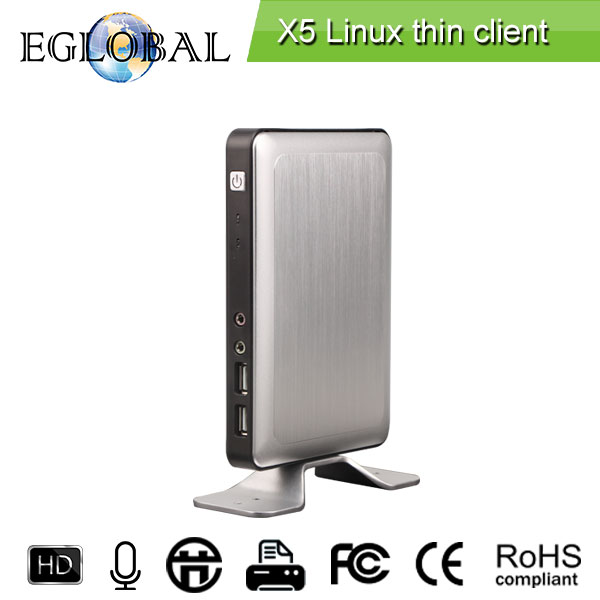
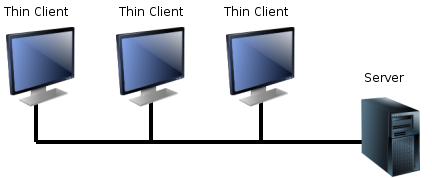
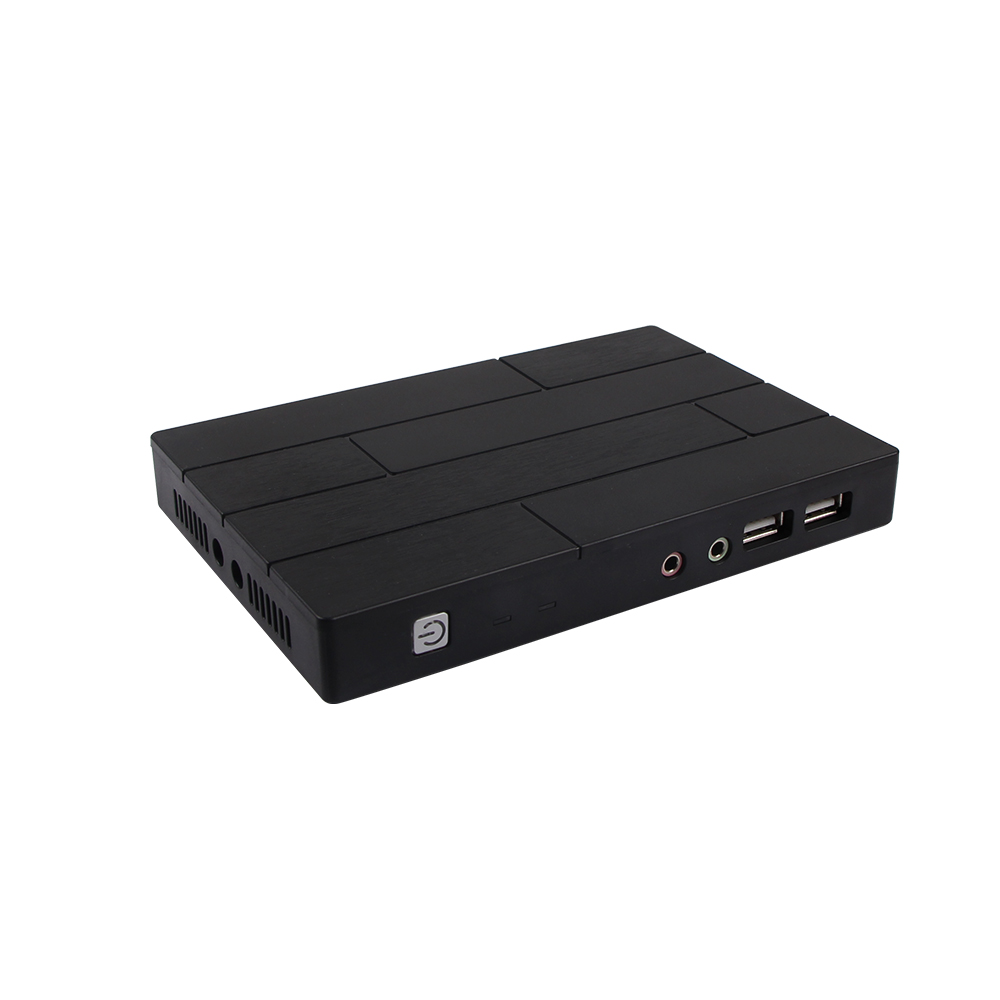
A thin client is a lightweight computer that has been optimized for establishing a remote connection with a server-based computing environment. The server does most of the work, which can include launching software programs, performing calculations, and storing data. This contrasts with a fat client or a conventional personal computer; the former is also intended for working in a client–server model but has significant local processing power, while the latter aims to perform its function mostly locally.
Thin clients occur as components of a broader computing infrastructure, where many clients share their computations with a server or server farm. The server-side infrastructure uses cloud computing software such as application virtualization, hosted shared desktop (HSD) or desktop virtualization (VDI). This combination forms what is known as a cloud-based system where desktop resources are centralized at one or more data centers. The benefits of centralization are hardware resource optimization, reduced software maintenance, and improved security.
Example of hardware resource optimization: Cabling, busing and I/O can be minimized while idle memory and processing power can be applied to user sessions that most need it.
Example of reduced software maintenance: Software patching and operating system (OS) migrations can be applied, tested and activated for all users in one instance to accelerate roll-out and improve administrative efficiency.
Example of improved security: Software assets are centralized and easily fire-walled, monitored and protected. Sensitive data is uncompromised in cases of desktop loss or theft.
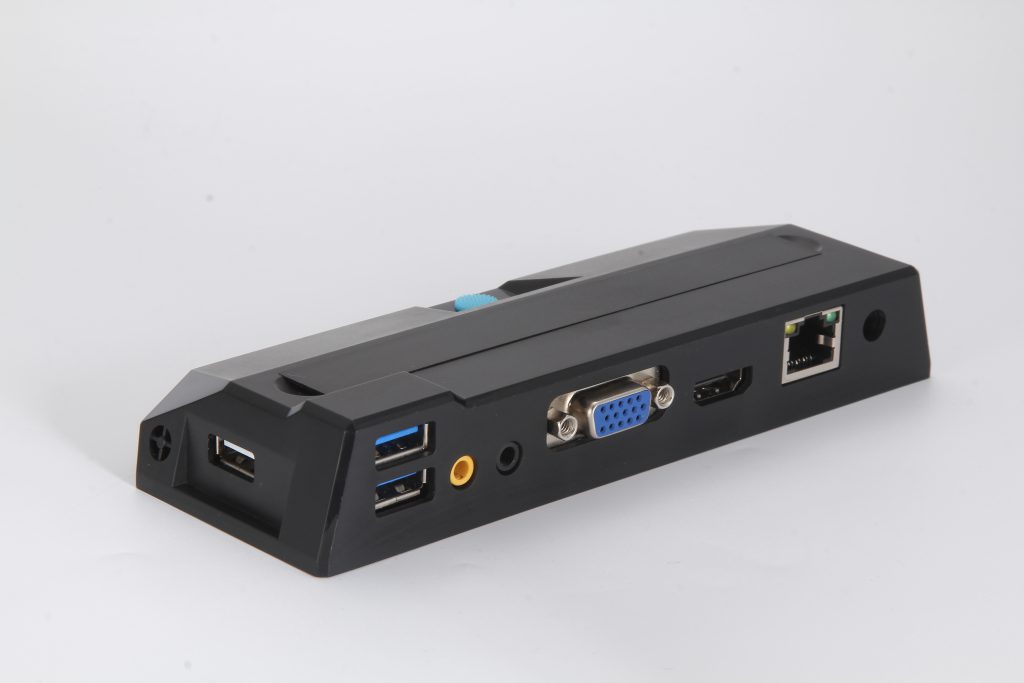
Thin client hardware generally supports a keyboard, mouse, monitor, jacks for sound peripherals, and open ports for USB devices (e.g., printer, flash drive, webcam). Some thin clients include legacy serial or parallel ports to support older devices such as receipt printers, scales or time clocks. Thin client software typically consists of a graphical user interface (GUI), cloud access agents (e.g., RDP, ICA, PCoIP), a local web browser, terminal emulators (in some cases), and a basic set of local utilities.
Cloud computing terminal also names thin client terminal, diskless workstation. It’s a special computer application mode than use the whole resource on the server. Working mode use C/S (Client/Server) mode. Server receive the operating issues of mouse& keyboard commands from Client, and then send the image of computing result back to client’s monitor.
Use cloud computing terminal for your daily work, all the maintenance, updating, and other work all centralized on server, save a lot of hardware input and maintenance work. With the highly integrated IC and Extremely low power consumption, the cloud computing terminal becomes highly efficient and stable, portable and easy to use. It can work stable and continuing even under some harsh environment like factory and outdoor place. And so it brings a new option of hardware selection mode for factory& office work and ERP application, Estate computer work and training centers.
Advantages of cloud computing terminal:
1. Cost saving:
Using cloud computing, hardware cost less than 1/4 of traditional desktops, software cost less than 1/30 of traditional desktops, electricity cost less than 1/80 of traditional desktop.
2. No need maintenance:
All the processing and storage systems are integrated in the Chipset, the power consumption is very low while speed is very high. No extra software or hardware maintenance requirement, save a lot of time and cost.
3. Quick start and efficient operation
As the chipset is highly integrated and its system have self-protection function, so the staring speed get much quicker than other PCs, only need 10 seconds to enter the system.
4. Compatibility with operating systems:
Could computing terminal uses Microsoft’s underlying connection protocol and code, Fully supports the need to install no software on the host and start the computer, no incompatible problems for Microsoft operating systems and update dispatches.
5. Smart designing:
Cloud computer terminal is very smart, can be mounted to the backside of LCD monitor. Theis smart and tightly designing can help saving a lot of room in your office and your desk.
6. High resolution display ability
Normal network computing terminals cannot support high resolution display due to the software and hardware limitation, and that problem limited a lot of the widely application of network computing terminals. But this could computing terminal can support resolution up to 1280*1024 and 1440*900, give us the same feeling of hosting computer.
7. Dual-working mode, make every work becomes possible:
Cloud computing terminal uses both the local and network mode. Under network working mode, all the office software in the server can be used; all the resources can be shared. Under local working mode, cloud computing terminal can support video entertainment. Even without server, cloud computing terminal can finish the daily work as usual.
8. Support more peripherals and modulesSupport printer connecting, wireless keyboard and mouse, wireless internet card and touch screen. Its application is more widely than other network computers. And it also gives supplier’s more available plan.