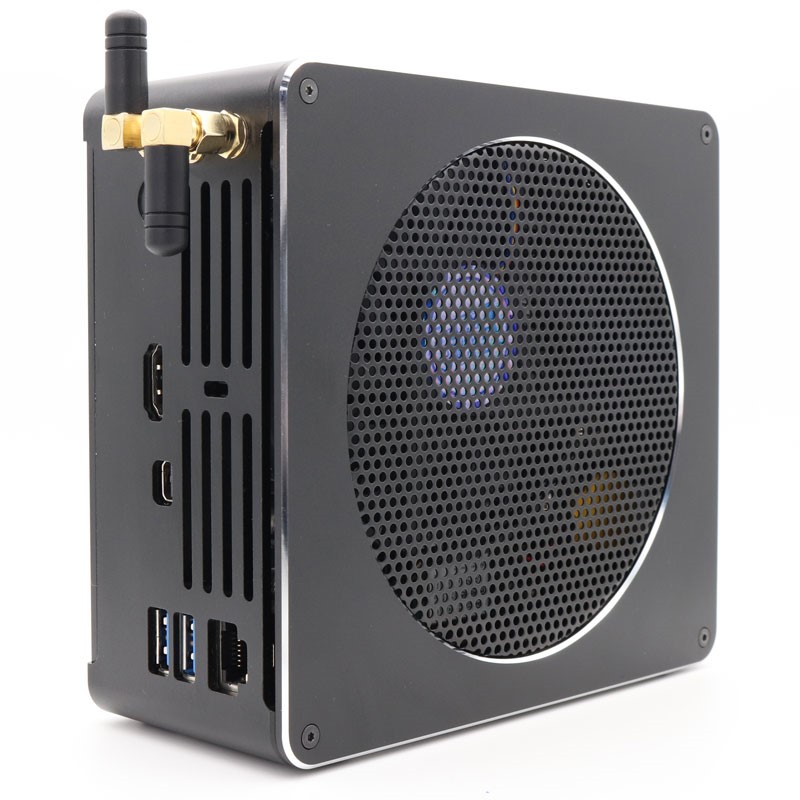
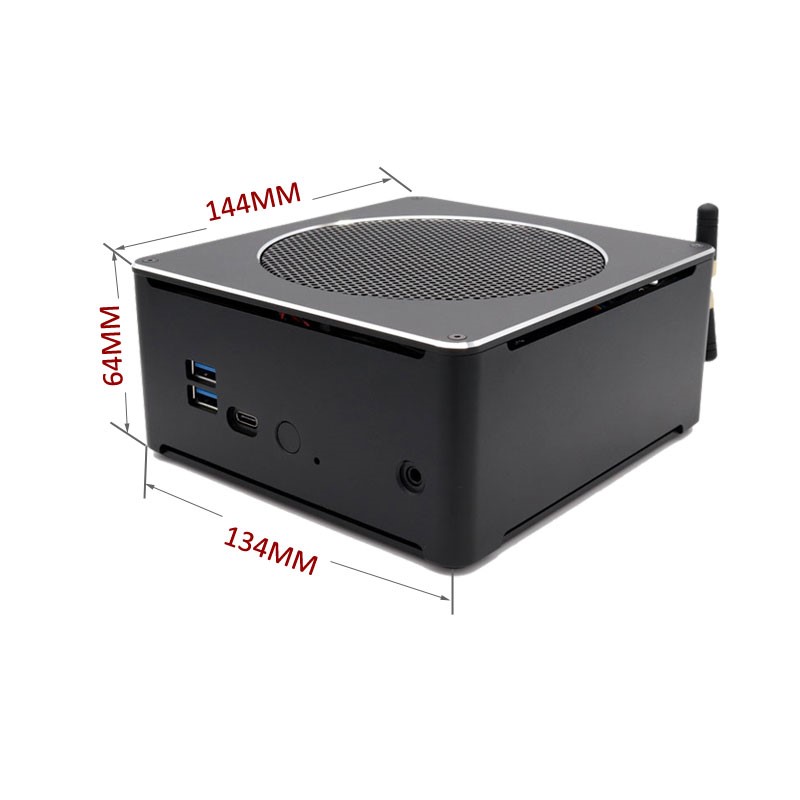
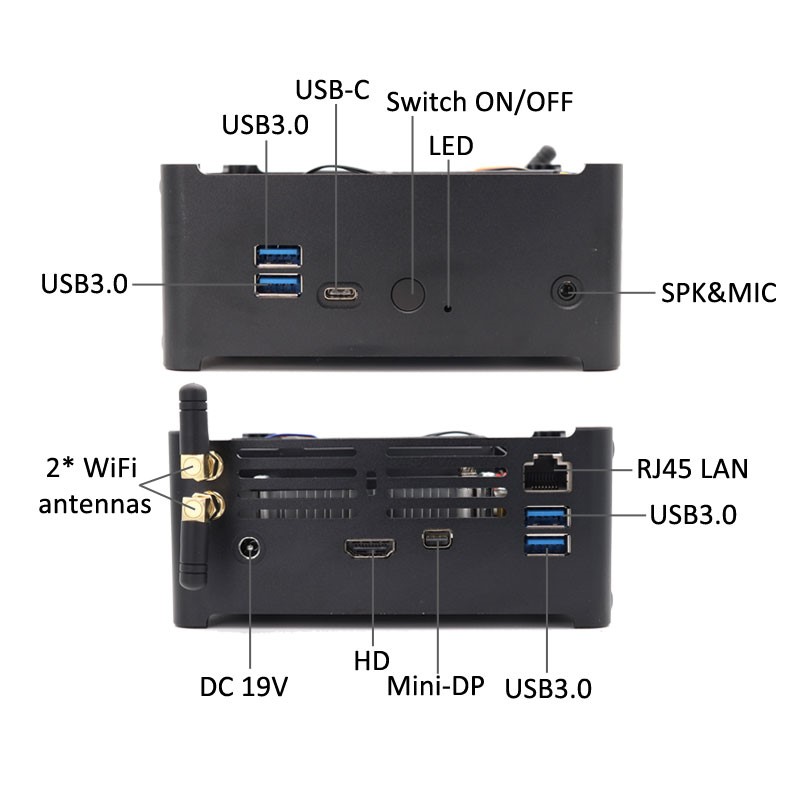
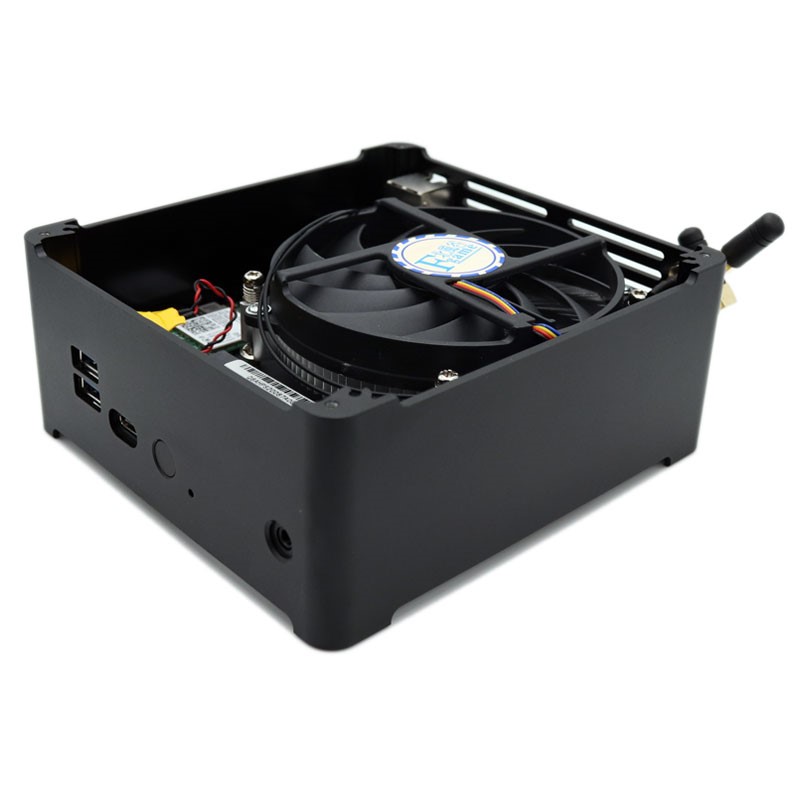
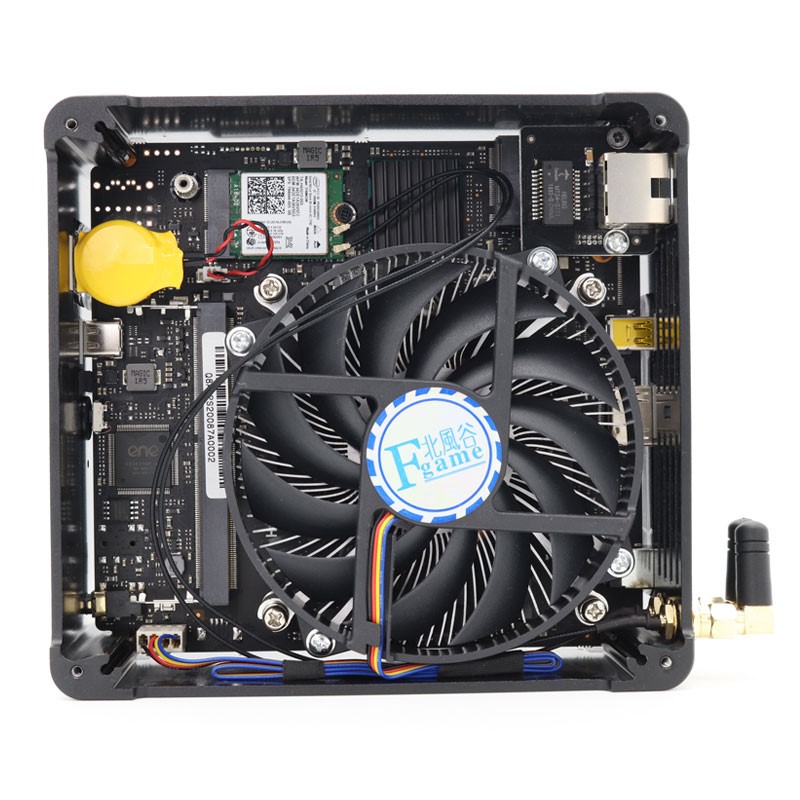
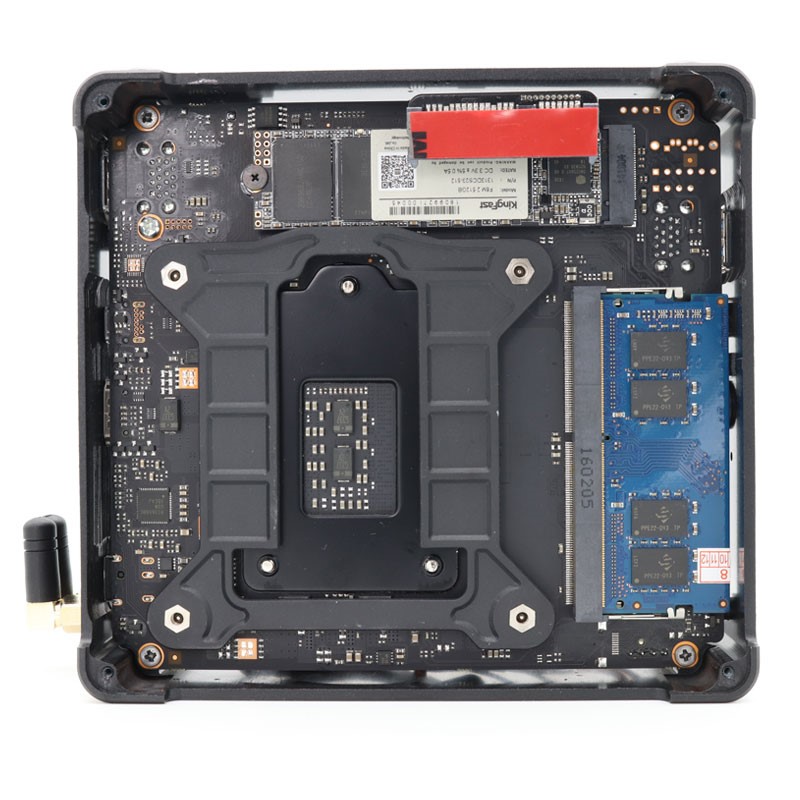
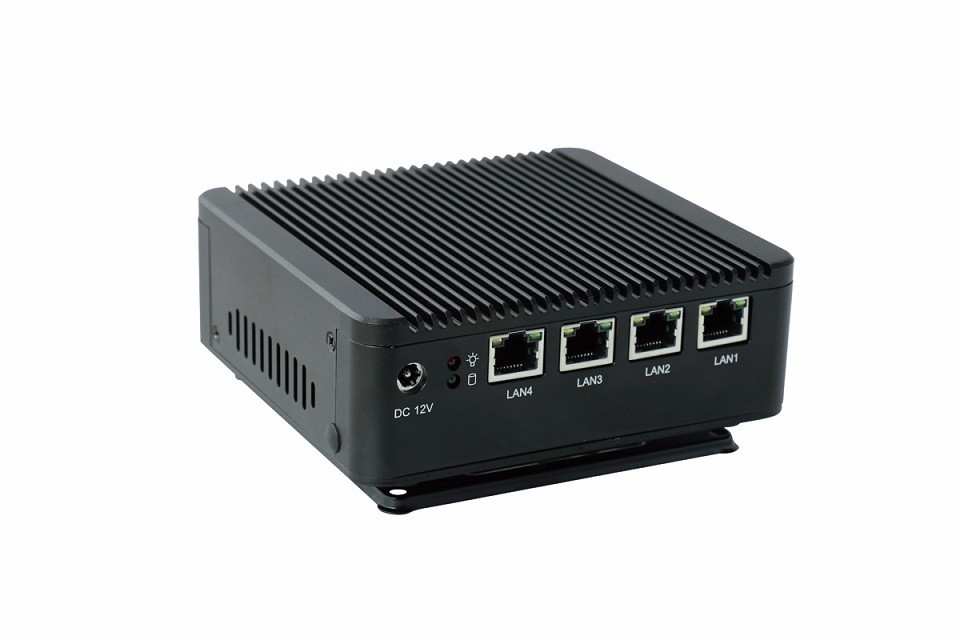
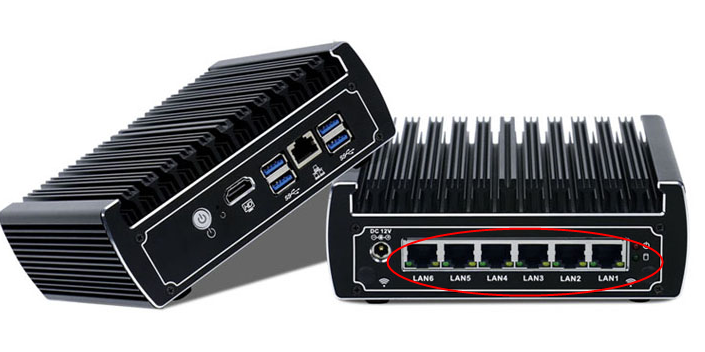
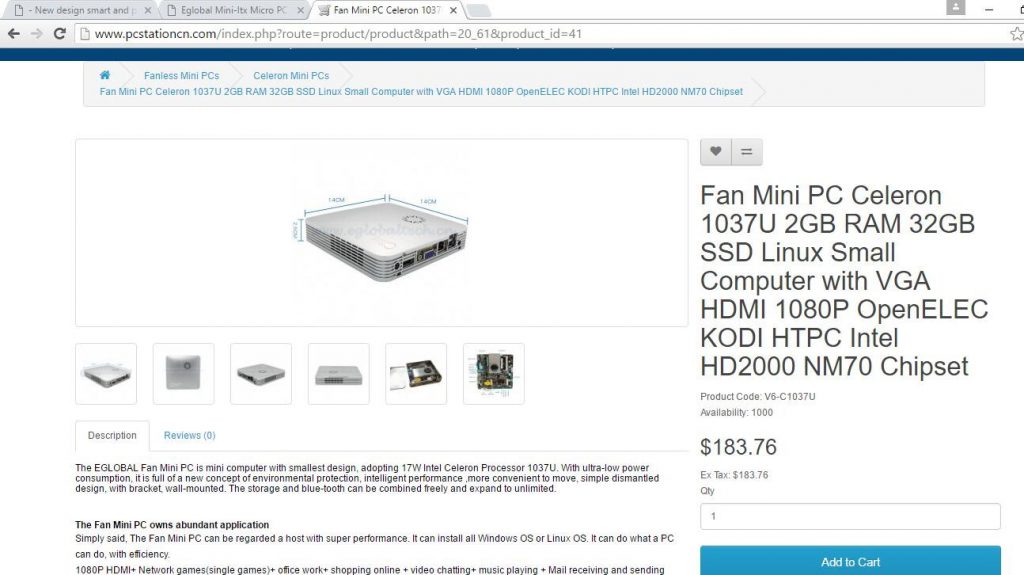
This i9 mini pc was launched at the beginning of this year, which measures 5.6 x 5.3 x 2.5 inches and can be equipped with Intel Core i9-8950HK processor. It can also be equipped with up to 32GB of DDR4 2666 memory and up to 1TB of NVMe SSD.
The mini PC has an
HDMI interface, a DP interface, four USB 3.0 ports, and a lightning 3
interface. It also has WiFi, Bluetooth and Ethernet interfaces.
i9 mini pcs has a simple design style, super mini body and good performance, fan system with cooling fan, stable heat dissipation. Strict ME tolerance control: Comprehensive tool design and CNC machining achieve good gap control during final system assembly and support PXE, Avar, RTC functions.
Of course, if you feel that the Intel Core i9-8950HK processor is very expensive, then EGLOBAL also offers a cheaper version, such as the Core i5-8300H / i7-8750H / Xeon E-2176M processor. More details you may went to the Eglobal mini pc website: www.pcstationcn.com
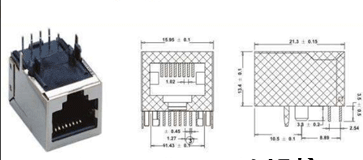
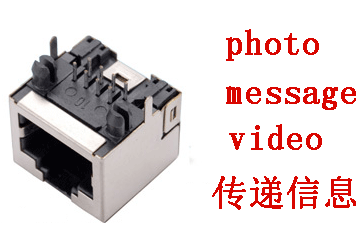
RJ45 Port: It
belongs to the connector and consists of a plug (connector, crystal head) and a
socket (module). The plug has 8 grooves and 8 contacts. It is a network signal
connector that is used in network devices.
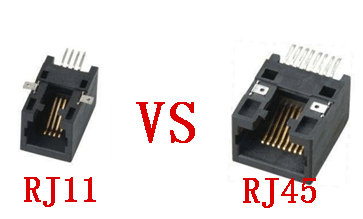
The difference
between RJ45 interface and RJ11 interface:
The RJ45 interface
is used for network signals, and the RJ11 is used for telephone signals and fax
signals. The former is 8 contacts, the connected network twisted pair cable is
8 wires, and the latter is 4 pins and 4 contacts. The two are very similar in
appearance, the former is more bulky, the latter is slightly smaller, and the most
accurate distinction is more accurate by using the number of contacts as a
reference.
RJ45 interface
product application:
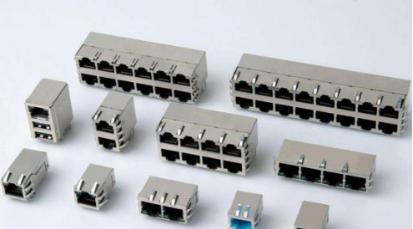
RJ45 interface,
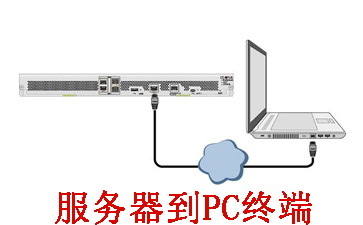
also known as network interface. Applications include internal LANs, external
network connections, and more. Common RJ45 interface products are: network
server, routing cat, hub, personal PC terminal, printer and other equipment.
RJ45 interface
industry application:
The RJ45 interface
is the most used in the network equipment manufacturing industry, computer PC manufacturers,
network printer equipment manufacturers, network system installation
architecture industry. In the former, the RJ45 interface will be used in the
finished product, and some products of the former will be used in the
post-architecture network environment.
The
complementarity between RJ45 and RJ11 in the era of network e-commerce:
The wide
application of RJ45 interface promotes the development and growth of network
e-commerce, and a large-scale sales channel before e-commerce is telemarketing
or telemarketing. Information in the e-commerce era conveys more accurate,
clear and intuitive products through platform and online communication, making
up for the void caused by the latter language description.
RJ45 interface
manufacturers of various types of products:
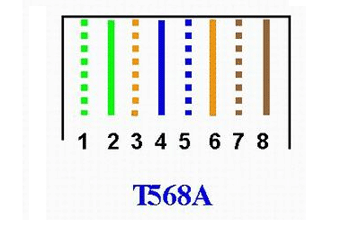
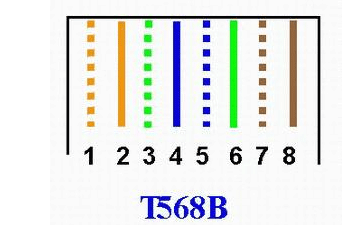
Mouth 1: orange
blue green brown, light color in front, three five exchange
Mouth 2: white
orange, white green blue, white blue green, white brown brown
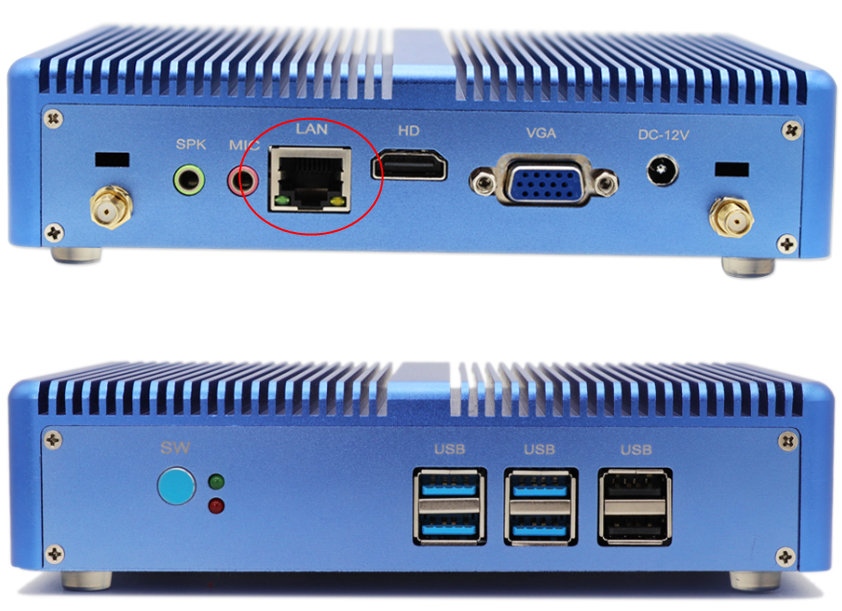
There are many
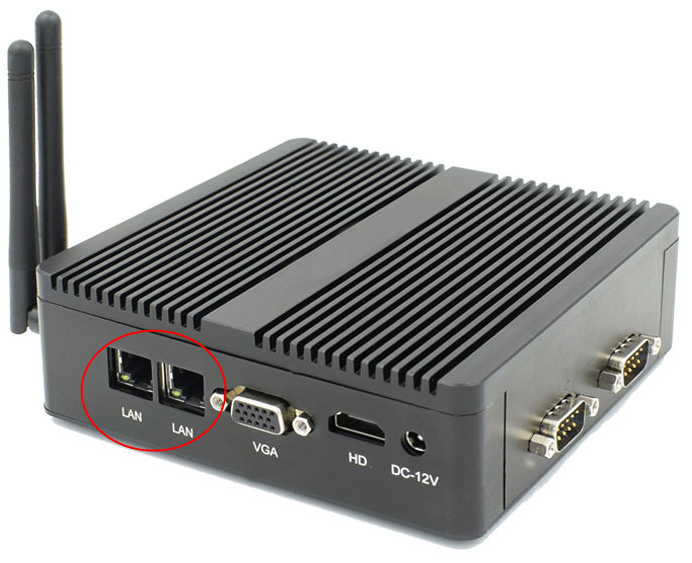
different models of Eglobal Mini Computers with Gigabit RJ45 LAN port. Users
can surf the internet after connecting a RJ45 LAN cable with Eglobal Mini
Computers you bought. As technology becomes more developed, the Internet seems
to be something that people have to do.
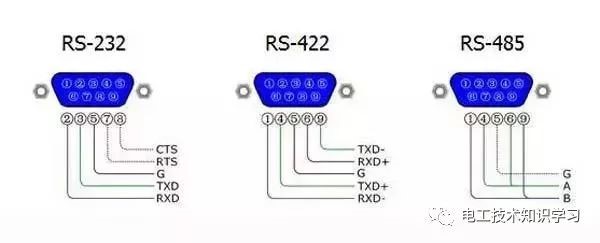
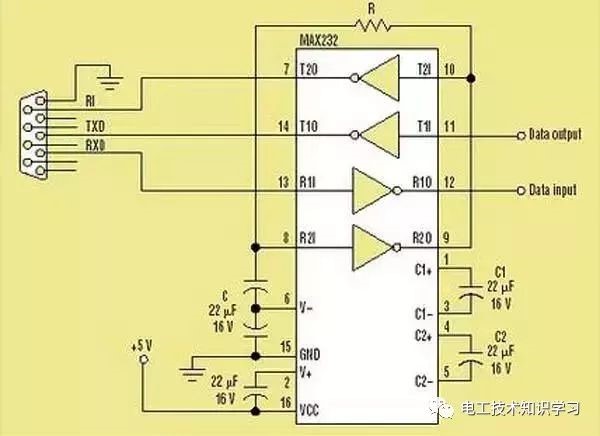
RS232 is a
standard interface, which is a D-shaped 9-pin. The signal definition of the
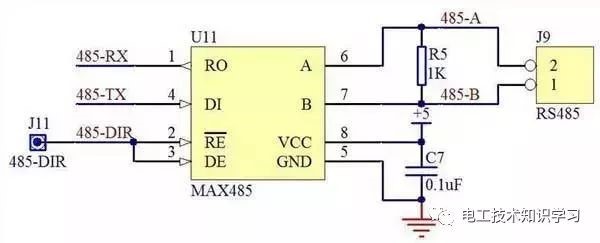
interface of the connected device is the same. The RS422/RS485 is a
non-standard interface, generally a 15-pin serial interface (also a 9-pin
interface), and the pin definition of each device is different. RS232 is a
4-wire system with full duplex mode. RS485 is a two-wire system with
half-duplex mode.
RS232 is designed
for point-to-point communication (that is, using only a pair of receiving and
transmitting devices). The driver load is 3~7kΩ. Therefore, RS232 is suitable
for communication between local devices. 422 and 485 serial interface
standards, RS232 and RS422/RS485 are different. The data signal adopts
differential transmission mode, also called balanced transmission. It uses a
bunch of twisted pairs. In the early PC communication, the maximum transmission
distance of RS422 is more common. 4000 feet with a maximum transfer rate of 10
Mb/s.
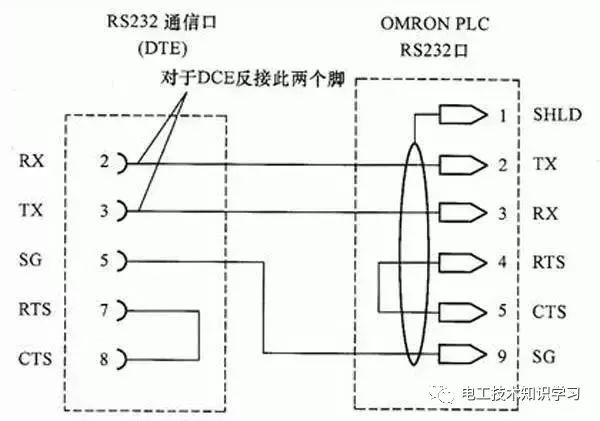
The basic knowledge of RS232
communication: RS232 communication is also called serial communication mode. It
refers to the way that the computer uses the serial port cable and the single
device (controller) to communicate through the RS232 international standard
protocol.
Communication distance: 9600 baud
is recommended within 13 meters.
Communication rate (baud rate):
The default is 9600 bps, and the common ones are 1200 2400 4800 19200 38400.
The larger the baud rate, the faster the transmission speed, but the shorter
the stable transmission distance, the worse the anti-interference ability.
The basic knowledge of RS485
communication: The basic communication mechanism of RS485 and RS232 is the
same. His advantage is that it makes up for the shortcoming of RS232
communication distance and can not carry out network management of multiple
devices at the same time.
The computer connects multiple 485
devices (access controllers) in turn through the RS232 RS485 converter, and
polls the devices on the bus in turn.
The wiring label is 485+ 485-,
which corresponds to 485+ 485- of the link device (controller).
RS422 has longer distance and faster transmission rate than RS232 transmission. The transmission rate is up to 10Mbit/s. At this rate, the cable length is 120 meters. If the transmission rate is lower, such as 9000 baud rate, the maximum distance can reach 1200 meters. .
RS422 uses two signal lines per channel, if one is in a logic “1” state and the other is a logic “0”. The circuit consists of a transmitter, a balanced connection cable, a cable termination load, and a receiver. It is stipulated in the circuit that there is only one transmitter and there are multiple receivers, so the point-to-point communication method is usually adopted.
Basic knowledge of RS422 communication:
His communication principle is similar to RS485. The difference is that his bus
is two sets of twisted pairs (4 lines), which are respectively labeled as R+ R-
T+ T-. The disadvantage is that the wiring cost is high and it is easy to make mistakes.
It is used less now.
Because
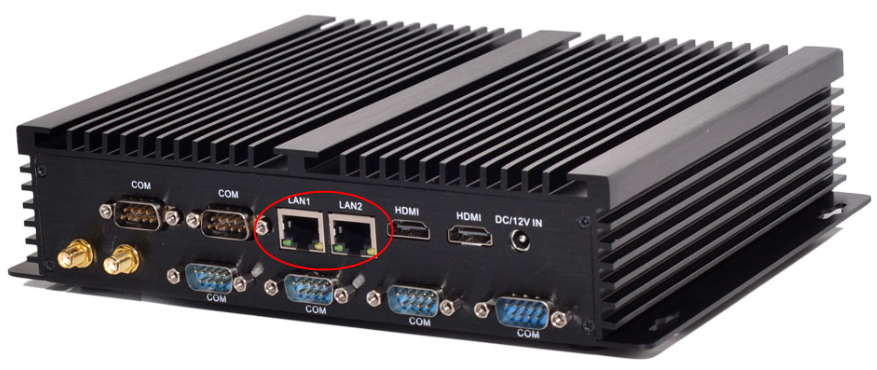
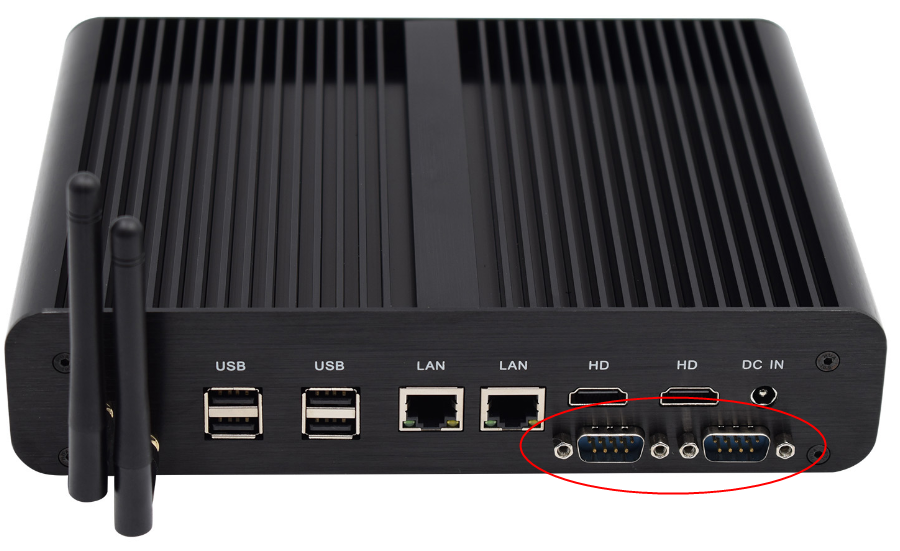
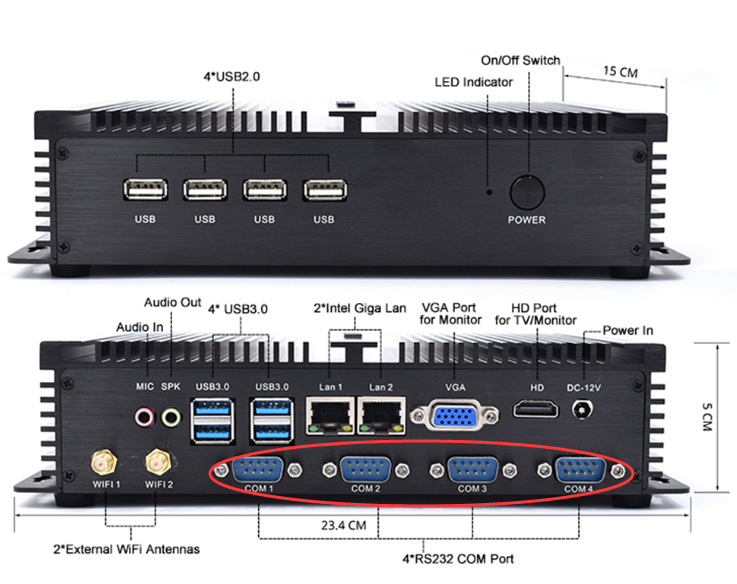
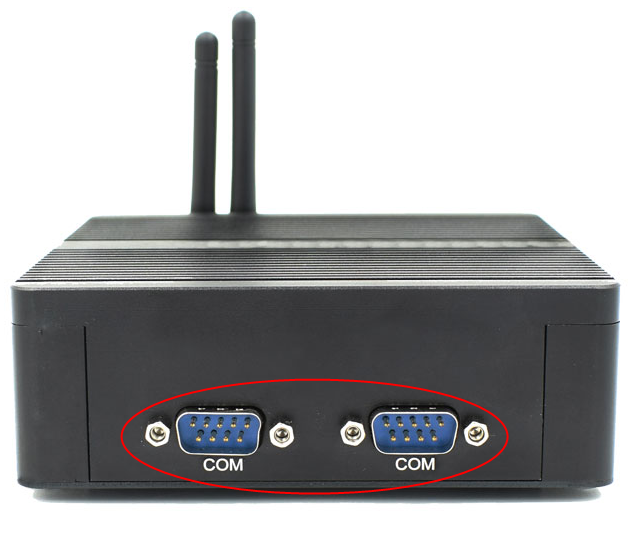
RS232 COM port is universal, Most of Eglobal Industrial Mini Computer is with
the RS232 COM port like the following pictures shown. The Mini PC can support
the adapter RS232 to RS422/485 if you need the RS422 or RS485 port.
In general,
standard industrial mini pc computers have a rich IO interface. We often see
the word “COM” on the side of the industrial computer. What does the
COM serial port of the industrial computers mean? What kind of effect? We come to
you to understand the knowledge and function of the COM serial port of the
industrial computers.
First of all,
let’s understand the definition of COM interface: COM port (cluster
communication port) is the serial communication port, referred to as serial
port. The COM serial products commonly used in IPCs generally have RS-232 and
RS-485 interfaces. In appearance, both serial ports use a 9-pin type. It’s just
that they have different definitions of the two pins, which are not mentioned
here.
The RS-232 serial
port used by the COM serial port of the industrial computer is relatively more.
RS-232 (ANSI/EIA-232 standard) is the standard for serial connection on IBM-PC
and its compatible machines.
The COM port is a
communication port that can be used in a wide variety of communication devices.
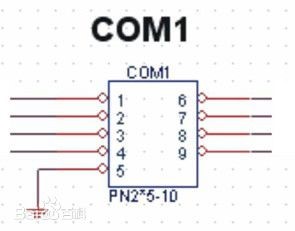
Pin function of
the 9-pin serial port:
1 Carrier Detection
(CD)
2 Accepted Data
(RXD)
3 Send Data (TXD)
4 Data Terminal
Ready (DTR)
5 Signal Ground
(SG)
6 Data Ready (DSR)
7 Request to Send
(RTS)
8 Clear Send (CTS)
9 Ringing Indication
(RI)
The COM port is a
communication port that can be used in a wide variety of communication devices.
1. Hospital
medical equipment control: hospital gastro scope, CT, chest X-ray instrument,
etc.
2. Supermarket
charging related equipment: small ticket printers, credit card machines,
barcode grabs, etc. for supermarkets.
3. Engineering
production design control: PLC programmer
4. Computer
extended peripheral equipment: such as printer, serial mouse, serial keyboard,
etc.!
5. Printing
device: printer
6. Weighing
equipment: electronic pounds
7. The industrial
control COM serial port also has a connection card module, a sensor, a mouse, a
modem, etc., and can also be connected to industrial instruments and meters.