How To Distinguish Between USB2.0 And USB3.0 on Eglobal Mini PC Computer

Some of our customer always have a question, “Why my internet get not stable when I plug the USB flash or external USB DVD to the USB 2.0 Port on the mini pc, but internet stable when plug the same usb products to the USB 3.0 port in the same mini pc, what happen?”

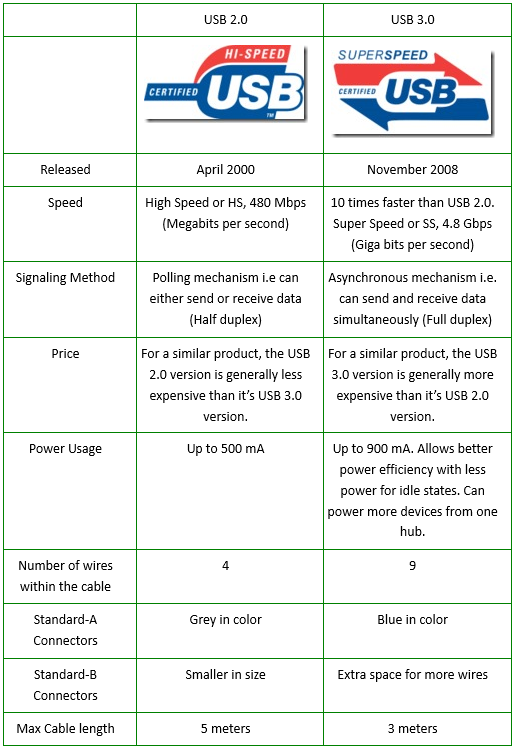
This problem most due to USB power supply different, USB 2.0 port can supply max 500ma but usb 3.0 can supply up to 900ma, so if your usb products require more than 500ma and less than 900ma, it will not be stable on the USB 2.0 port but stable on the USB 3.0 port. And USB problem on the motherboard will hurt the Lan chip power supply, that’s why the internet get not stable if you plug usb products to USB 2.0.
USB 2.0 vs USB 3.0

USB 3.0, the latest version of USB (Universal Serial Bus), provides better speed and more efficient power management than USB 2.0. USB 3.0 is backward compatible with USB 2.0 devices; however, data transfer speeds are limited to USB 2.0 levels when these devices inter-operate.

Comparison chart

How To Distinguish Between USB2.0 And USB3.0 on Eglobal Mini PC Computer

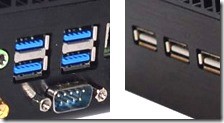
Observing the color method, in order to distinguish it from USB 2.0, the USB 3.0 Primoter Group recommends that the blue base be used in the USB 3.0 interface, so we can distinguish it by color.

Observe the contact method, which is more cautious. USB 2.0 only has 4pin metal contacts, while USB 3.0 is 9pin contacts. The front 4pin and USB 2.0 are one-to-one, and the rear 5pin is USB 3.0 exclusive.

As for the USB 3.0 B-type interface, it is better to distinguish. The USB 3.0 standard B-type interface is larger than the USB 2.0, and the upper part is more prominent, and it accommodates the new 5-pin contact. Observe the logo method. The USB 3.0 logo is shown below. “SS” stands for “SuperSpeed” and will be available in the USB 3.0 interface section. In addition, the USB 3.0 cable is slightly thicker than the USB 2.0 cable due to the increased route.

DDR3 VS DDR3L VS DDR4 of Eglobal Mini PC

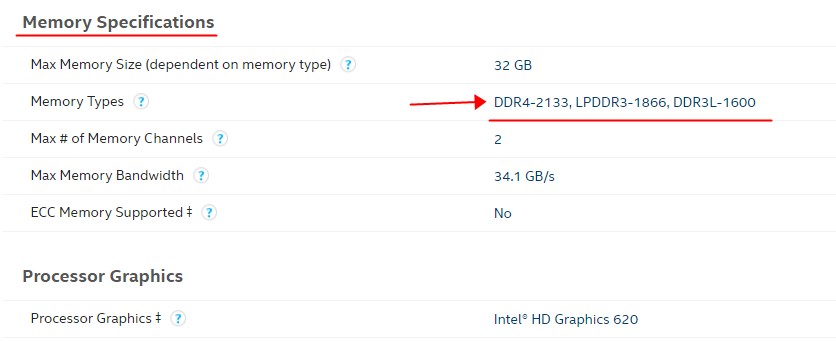
Before installing RAM for the Eglobal mini pc, make sure you know clearly the RAM style the Eglobal mini pc required. You can use the link: http://ark.intel.com/ to search CPU details and learn the Eglobal mini pc’s RAM style(DDR3, DDR3L, LPDDR3, DDR4), you can find the memory types it supports directly as this picture shown:

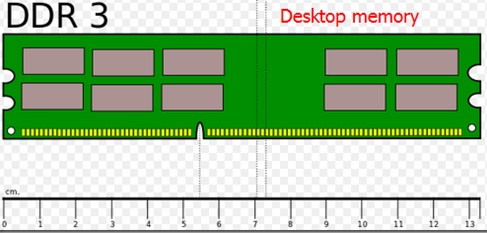
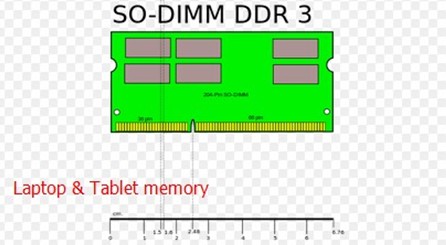
Difference of DDR3, DDR3L, LPDDR3 and DDR4. Laptop memory is 204pin(SO-DIMM DDR3) and desktop memory is 240 pin(DDR3).

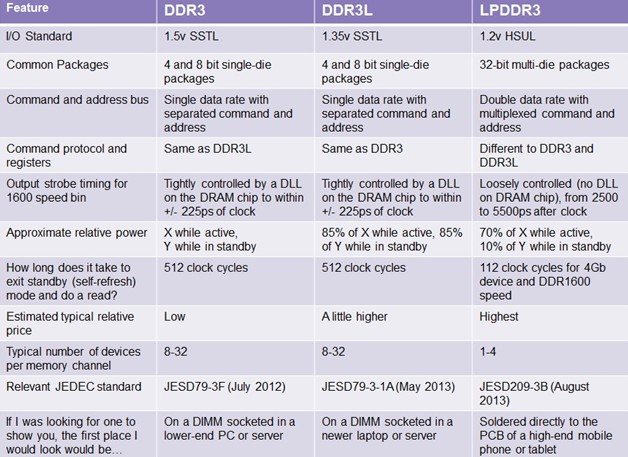
Here is summarization of the key differences of DDR3, DDR3L, LPDDR3:

DDR3 VS DDR4 of Eglobal Mini PC

  1. Different specifications
    The starting frequency of DDR3 memory is only 800MHz, and the highest frequency can reach 2133MHz. The starting frequency of DDR4 memory is 2133MHz, and the highest frequency can reach 3000MHz. The performance of higher frequency DDR4 memory is significantly improved compared with DDR3 memory. Each pin of DDR4 memory can provide 2Gbps bandwidth, then DDR4-3200 is 51.2GB/s, which is better than DDR3-1866. Bandwidth increased by 70%.
  2. Different appearance
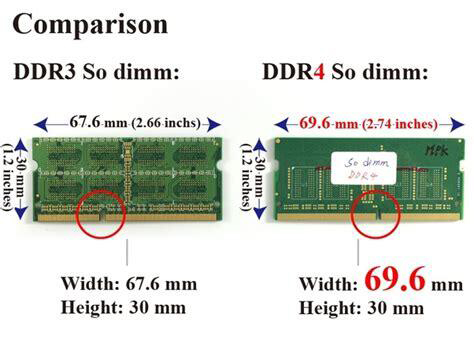
    As an upgraded version of DDR3, DDR4 has undergone some changes in appearance. The gold fingers of DDR4 memory have become curved, which means that DDR4 is no longer compatible with DDR3. If you want to replace DDR4 memory, you need to replace the motherboard with a new platform that supports DDR4 memory.
  3. Different memory capacities
    The largest single DDR3 can reach 64GB, but only 16GB and 32GB are available on the market. And DDR4 has a maximum single capacity of 128GB, and larger capacity means DDR4 can support more applications.
  4. Power consumption is different
    Under normal circumstances, the working voltage of DDR3 memory is 1.5V, which consumes more power, and the memory stick is easy to generate heat and frequency, which affects performance. The working voltage of DDR4 memory is mostly 1.2V or lower. The lower power consumption brings less power consumption and less heat, which improves the stability of the memory stick and basically does not cause the drop caused by heat. Frequency phenomenon.

Cost of DDR4 is more expensive than others. When you buy new memory,we should consider all the parameters and compatibility, not necessarily the higher specification parameters that means better performance. It is better to inquire our Sales before buy.

What’s meaning of Barebone Mini PC Computers

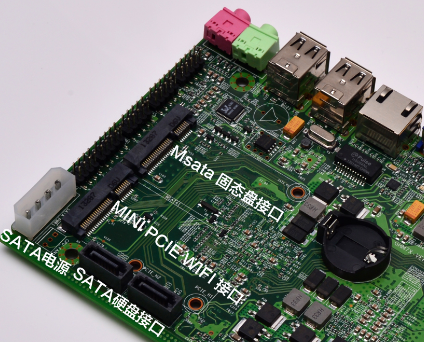
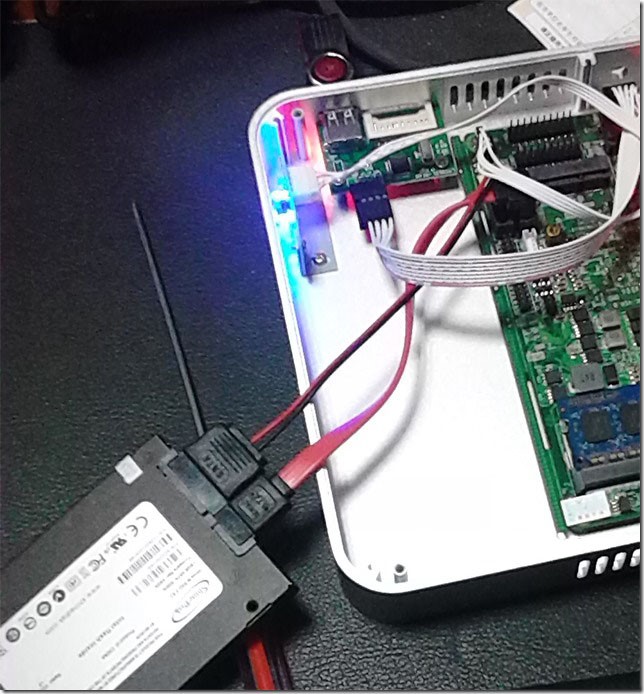
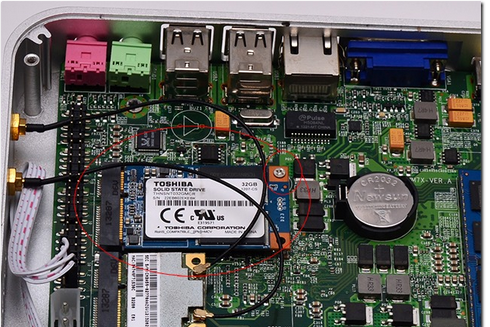
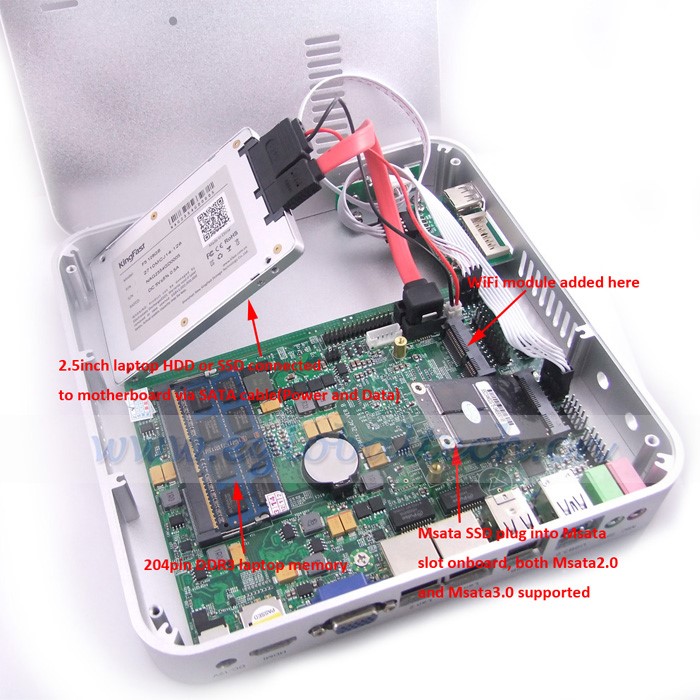
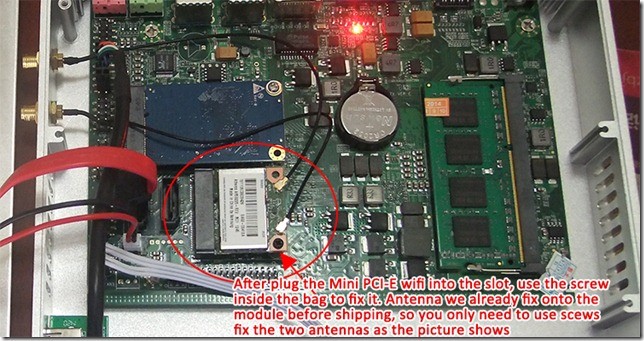
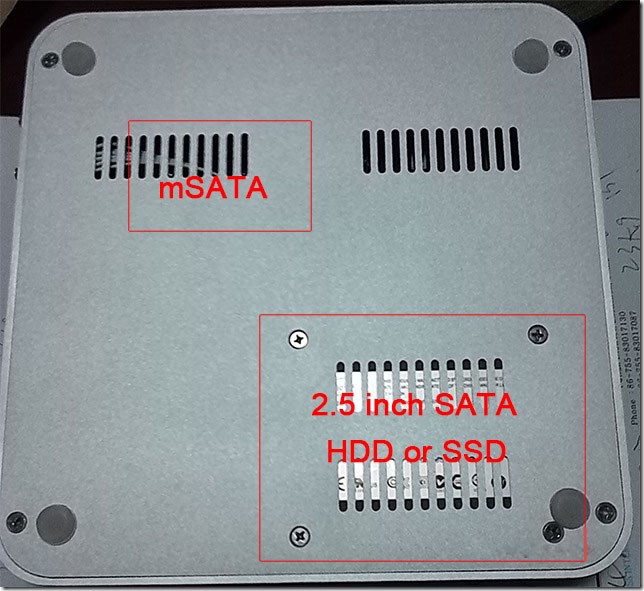
Barebone system of Eglobal Mini PC Computers means the Mini PC you bought doesn’t include the memory/ram, storage/msata ssd/2.5″ sata hdd and wireless card/module, but the package box also includes the accessories like power adapter, stand holder, VESA mount or others.

When you have the barebone system of Eglobal Mini PC Computers, you shall select the correct type of memory among DDR3, DDR3L or DDR4, then you shall know how to install the hard disk and operating system by USB flash disk.

Please pay attention to buy barebone system of Eglobal Mini PC Computers if you seldom know the structure of Eglobal Mini PC Computers. Welcome to contact our Sales to select the proper configuration including memory, storage, wireless card and pre-installed oem cracked Windows 7/8/10 or Linux OS. Thank you so much!